Selling and serving customers is where most businesses first meet Zoho, and it is the area with the most apps to choose from. This guide explains what each sales and customer app in Zoho One does, how they fit together around a single customer record, which ones to switch on first, and where the detailed guides for each app live. For email, social and e-commerce, see the Marketing & Commerce guide.
The Apps in This Area
| App | What it does | Start with it when |
|---|
| Zoho CRM | Leads, contacts, deals, pipeline, automation and reporting | You have more than one person selling, or need automation |
| Zoho Bigin | A simpler pipeline CRM for small teams | You are a solo operator or a team of two or three |
| Zoho Desk | Support tickets, help centre, SLAs and customer portal | Support requests arrive faster than a shared inbox can handle |
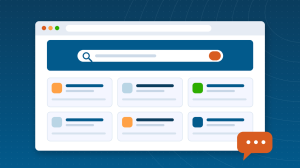
| Zoho SalesIQ | Website live chat, visitor tracking, chatbots | Visitors leave your site without talking to you |
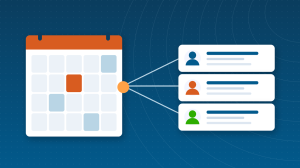
| Zoho Bookings | Appointment scheduling pages synced to calendars | Booking calls by email takes real time each week |
| Zoho Assist | Remote support and unattended access | You support customers’ computers or devices |
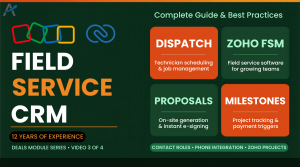
| Zoho FSM | Field service: jobs, dispatch, technicians, invoicing | You send people to customer sites |
How They Share One Customer Record
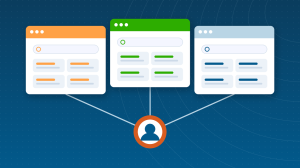
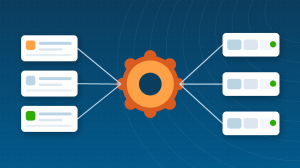
The reason to run these apps together rather than picking best-of-breed tools is the shared record. A chat in SalesIQ becomes a lead in Zoho CRM; a booking made through Bookings logs a meeting on the contact; a ticket raised in Zoho Desk shows on the same account the salesperson sees, with the deal history beside it. When a renewal comes up, sales can see every support interaction, and support can see what was promised at the sale. No integration project is needed for this; it is how the apps are built.
- One contact and account list, used by CRM, Desk, Bookings and SalesIQ.
- Activities from every app on one timeline per customer.
- Automation that crosses apps: a won deal opens onboarding, a closed ticket triggers a survey.
- Reports that combine sales and service data without exports.
Zoho CRM or Bigin?
| Choose Bigin when | Choose Zoho CRM when |
|---|
| One pipeline, a handful of fields | Several pipelines or complex deal stages |
| Two or three users | Teams with roles and territories |
| Little or no automation needed | Workflow rules, Blueprint, custom functions |
| Budget is the main constraint | Reporting and forecasting matter |
Bigin upgrades to CRM with data intact, so starting small is safe. Our Bigin guide covers the move; our Zoho CRM guide covers everything from setup to automation.
A Sensible Order to Switch Them On
- Zoho CRM or Bigin, with your real pipeline stages and a clean contact import.
- One lead source into CRM: a website form, or SalesIQ chat.
- Zoho Bookings, if prospects book calls with you.
- Zoho Desk, once support volume outgrows a shared inbox.
- Assist or FSM, only if you support devices or send people on site.
What Good Looks Like
A business running these apps well has one place to look up any customer, knows the state of every deal without asking, answers support within a stated SLA, lets prospects book themselves, and sees in one report which leads became revenue. None of that requires every app; it requires the two or three you use to be set up properly and connected.
Setting Up These Apps Well
Three decisions made early save months later. First, agree your pipeline stages and what each one means before anyone enters a deal, because stage definitions are what make forecasts comparable. Second, decide which fields are mandatory at lead creation; too many and salespeople stop filling them in, too few and reports are empty. Third, choose one owner for the customer record: when CRM and Desk both allow edits to a contact, name whose change wins.
What to Automate First
- New lead from a form or chat is assigned by territory and the owner is alerted within a minute.
- A deal reaching a key stage locks its amount and creates the next task automatically.
- A closed ticket sends a satisfaction survey and logs the score on the account.
- A won deal creates the onboarding project and the welcome email without a handoff.
Each of these removes a manual step that someone currently forgets on a busy day, and each uses features included in the apps rather than custom development.
Measuring Results
Four numbers tell you whether sales and service are working together: lead response time, win rate by source, first-response time on tickets, and renewal rate by account. All four can be built as CRM and Desk reports without exports, and together they show where a customer is lost, before the deal closes or after it.
Common Mistakes with These Apps
- Running Desk and CRM as separate islands with different contact lists.
- Switching on SalesIQ with no one watching the chat.
- Importing a messy spreadsheet into CRM and configuring around the mess.
- Buying CRM Enterprise for features nobody has been trained to use.
- No pipeline stage definitions, so forecasts mean different things to different people.
Pricing at a Glance
Each app is sold separately or included in Zoho One. Zoho CRM’s paid editions run from Standard to Ultimate per user per month; Bigin is a fraction of that; Desk, SalesIQ and Bookings each have free tiers and paid plans per agent or user. The app guides below carry current 2026 pricing for each, and the official Zoho CRM pricing page has the latest CRM figures. For most businesses using three or more of these apps, Zoho One is the better value.
Where Sales Meets the Rest of Zoho
Quotes and invoices flow from CRM into Zoho Books; agreements are signed through Zoho Sign and logged against the deal; marketing campaigns feed leads in from the Marketing & Commerce apps. Sales is the area the others connect to, which is why it is usually the first one to set up and the one worth setting up with care.
Deeper Guides on Zoho CRM
Zoho CRM has its own guide with dozens of articles: how leads work, Blueprint explained, customisation and more. Start with our Zoho CRM guide.
App Guides in This Area
Questions People Ask About Sales Apps in Zoho One
Short answers, drawn from the guide above.
Which Zoho apps are for sales and customer management?
Zoho CRM, Bigin, Zoho Desk, Zoho SalesIQ, Zoho Bookings, Zoho Assist and Zoho FSM. All are included in Zoho One and share one customer record.
Should a small business start with Zoho CRM or Bigin?
Bigin suits one pipeline and a team of two or three with no automation needs. Zoho CRM suits anything larger or more complex, and Bigin upgrades to CRM with data intact.
Do Zoho CRM and Zoho Desk share contacts?
Yes. They use the same contact and account records, so a ticket shows on the account the salesperson sees, and sales history shows beside support history.
Which app should I set up first?
Zoho CRM or Bigin, with clean contact data and your real pipeline stages. Add one lead source next, then Desk when support volume justifies it.
Is Zoho Desk included in Zoho One?
Yes. Desk, SalesIQ, Bookings, Assist and CRM are all included in Zoho One; FSM is an add-on in some regions.
Can I connect SalesIQ chats to Zoho CRM?
Yes. SalesIQ creates or updates CRM leads from chats and shows visitor activity on the contact record.
{"@context":"https://schema.org","@type":"FAQPage","mainEntity":[{"@type":"Question","name":"Which Zoho apps are for sales and customer management?","acceptedAnswer":{"@type":"Answer","text":"Zoho CRM, Bigin, Zoho Desk, Zoho SalesIQ, Zoho Bookings, Zoho Assist and Zoho FSM. All are included in Zoho One and share one customer record."}},{"@type":"Question","name":"Should a small business start with Zoho CRM or Bigin?","acceptedAnswer":{"@type":"Answer","text":"Bigin suits one pipeline and a team of two or three with no automation needs. Zoho CRM suits anything larger or more complex, and Bigin upgrades to CRM with data intact."}},{"@type":"Question","name":"Do Zoho CRM and Zoho Desk share contacts?","acceptedAnswer":{"@type":"Answer","text":"Yes. They use the same contact and account records, so a ticket shows on the account the salesperson sees, and sales history shows beside support history."}},{"@type":"Question","name":"Which app should I set up first?","acceptedAnswer":{"@type":"Answer","text":"Zoho CRM or Bigin, with clean contact data and your real pipeline stages. Add one lead source next, then Desk when support volume justifies it."}},{"@type":"Question","name":"Is Zoho Desk included in Zoho One?","acceptedAnswer":{"@type":"Answer","text":"Yes. Desk, SalesIQ, Bookings, Assist and CRM are all included in Zoho One; FSM is an add-on in some regions."}},{"@type":"Question","name":"Can I connect SalesIQ chats to Zoho CRM?","acceptedAnswer":{"@type":"Answer","text":"Yes. SalesIQ creates or updates CRM leads from chats and shows visitor activity on the contact record."}}]}