Zoho Books is Zoho’s online accounting software for small and growing businesses. It handles quotes and invoices, bills and expenses, bank feeds and reconciliation, sales tax, inventory basics, projects and time tracking, and the financial reports your accountant needs. Because it connects to Zoho CRM and the rest of Zoho, sales, operations and finance share the same customers, items and transactions.
This guide covers what Zoho Books does, what each plan costs, how it connects to other apps and the setup decisions that matter most. It sits in the Finance & Operations section of our Zoho One ecosystem guide.
What Zoho Books Does
Quotes, invoices and payments
Create quotes, turn them into invoices, send recurring invoices and payment reminders, and let customers pay online through connected payment gateways.
Bills, expenses and purchases
Record bills and expenses, scan receipts, raise purchase orders and pay vendors on time.
Banking and reconciliation
Bank feeds bring transactions in automatically, and matching rules speed up reconciliation, so the books stay current without hours of manual work.
Sales tax and compliance
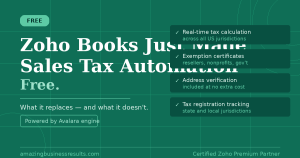
Tax rates, tax reports and, in the US, automated sales tax calculation, which Zoho has made available at no extra cost; see our article on Zoho Books sales tax automation.
Projects and time tracking
Track time against projects and bill clients for hours and expenses, which suits service businesses.
Reports and the client portal
Profit and loss, balance sheet, cash flow, aging and dozens of other reports, plus a portal where customers can see their invoices and pay.
How Zoho Books Connects to Zoho CRM and Other Apps
- Zoho CRM: customers, quotes, sales orders and invoices sync, so sales can see payment status.
- Zoho Inventory: full stock management across locations, with transactions posting to Books.
- Zoho Expense: approved expense reports flow into Books.
- Zoho Payroll: payroll journals post to Books where Payroll is available.
- Zoho Billing: subscription invoices and payments for recurring revenue businesses.
- Zoho Analytics: deeper finance dashboards combined with sales and operations data.
Zoho Books is included in Zoho One.
Zoho Books Pricing (US)
| Plan | Annual billing (per organization, per month) | Monthly billing | Users included |
|---|
| Free | $0 (businesses under $50K annual revenue) | $0 | 1 plus your accountant |
| Standard | $15 | $20 | 3 |
| Professional | $40 | $50 | 5 |
| Premium | $60 | $70 | 10 |
| Elite | See Zoho’s pricing page | $150 | 10 |
| Ultimate | $240 | $275 | 15 |
Higher plans raise limits such as the number of invoices and bills per year and add features such as advanced inventory, custom modules and built-in analytics. Extra users can be added for a small monthly fee. Prices are for the US; Canada and other regions have local pricing. Check the current Zoho Books pricing page, and remember that Zoho One already includes Books.
A Typical Month in Zoho Books
- Invoices go out from quotes, sales orders or recurring profiles, with online payment links.
- Bank feeds bring in transactions daily, and matching rules reconcile most of them automatically.
- Bills and receipts are recorded as they arrive, and payments are scheduled before due dates.
- Automatic payment reminders follow up overdue invoices.
- At month-end, the remaining transactions are reconciled and reports are reviewed with your accountant.
Most of the routine work runs on its own once rules and reminders are set up, which is where the time savings come from.
Automation in Zoho Books
Workflow rules can send emails, update fields and trigger actions when invoices, bills or payments meet conditions you set. Combine them with recurring invoices, payment reminders and bank rules, and many day-to-day bookkeeping tasks stop needing manual attention.
Zoho Books for Canadian Businesses
Zoho Books has a Canadian edition that supports GST, HST and PST, with pricing in Canadian dollars. Businesses selling across provinces or into the US should set up tax rates carefully with their accountant, and check the Canadian pricing page, as plans and limits can differ from the US edition.
Who Gets the Most Value from Zoho Books
- Small and growing businesses that want affordable cloud accounting with room to grow.
- Service businesses that bill for time and expenses on projects.
- Product businesses that will add Zoho Inventory for stock and orders.
- Businesses using Zoho CRM that want sales and finance on the same data.
Zoho Books vs QuickBooks and Xero
QuickBooks Online is the most familiar name to many accountants, and Xero is popular with small businesses and their advisers. Zoho Books competes on price, on its free plan for very small businesses and on its connection to Zoho CRM and the wider Zoho suite. For a detailed look, read QuickBooks vs Zoho Books and Xero vs Zoho Books.
Setting Up Zoho Books: The Decisions That Matter Most
- Agree on the chart of accounts with your accountant before entering transactions.
- Set up taxes correctly for each region you sell into.
- Choose a go-live date and enter opening balances as of that date.
- Connect bank feeds and set matching rules for recurring transactions.
- Connect a payment gateway so customers can pay invoices online.
- Customize invoice and quote templates with your branding and payment terms.
- Invite users with the right roles, and give your accountant access.
Moving to Zoho Books from QuickBooks or Spreadsheets
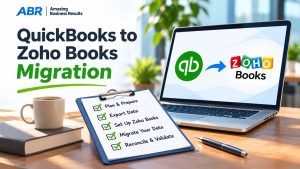
Most businesses move with opening balances as of a go-live date, plus customers, vendors, items and open invoices and bills. Moving full transaction history is possible but rarely worth the effort. Running one month in parallel and checking the reports against the old system builds confidence before switching over. ABR offers a QuickBooks to Zoho Books migration service done by accountants.
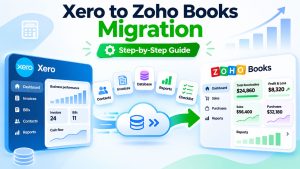
For the full process, see our step-by-step guides on how to migrate from QuickBooks to Zoho Books and how to migrate from Xero to Zoho Books.
When to Upgrade Your Plan
Plan limits usually decide when to move up. Watch the number of invoices and bills you create per year, the number of users who need access and features such as approvals, advanced inventory or custom reports. Moving up a plan is quick, so start on the plan that fits today and upgrade when you approach a limit.
Common Zoho Books Mistakes
- Copying an old, cluttered chart of accounts instead of simplifying it.
- Setting up taxes without checking with the accountant.
- Skipping bank feeds and reconciling manually.
- Customers created separately in CRM and Books, which creates duplicates.
- Not reviewing plan limits, such as invoices per year, as the business grows.
For more on what manual processes cost, see the hidden costs of manual accounting.
Zoho Books Guides
Questions People Ask About Zoho Books
Short answers, drawn from the guide above.
What is Zoho Books used for?
Zoho Books is used for small business accounting: quotes and invoices, bills and expenses, bank reconciliation, sales tax, projects and time tracking, inventory basics and financial reports.
Is Zoho Books free?
Zoho Books has a free plan for businesses under $50,000 in annual revenue in the US. Paid plans start at $15 per organization per month on annual billing, or $20 billed monthly.
Does Zoho Books integrate with Zoho CRM?
Yes. Customers, quotes, sales orders and invoices sync between Zoho Books and Zoho CRM, so sales can see what has been invoiced and paid.
Is Zoho Books included in Zoho One?
Yes. Zoho Books is one of the apps included in a Zoho One subscription.
Can I switch from QuickBooks to Zoho Books?
Yes. Most businesses move with opening balances as of a go-live date plus customers, vendors, items and open transactions. ABR offers a migration service done by accountants.
How many users can I have in Zoho Books?
It depends on the plan. In the US, Standard includes 3 users, Professional 5, Premium and Elite 10 and Ultimate 15. Additional users can be added for a monthly fee.
Does Zoho Books support multiple currencies?
Yes. Zoho Books supports multi-currency invoicing and transactions with exchange rates, so you can bill international customers in their own currency.
Can my accountant access Zoho Books?
Yes. You can invite your accountant as a user with accountant access, so they can review transactions, make adjustments and run reports without sharing your login.
{"@context":"https://schema.org","@type":"FAQPage","mainEntity":[{"@type":"Question","name":"What is Zoho Books used for?","acceptedAnswer":{"@type":"Answer","text":"Zoho Books is used for small business accounting: quotes and invoices, bills and expenses, bank reconciliation, sales tax, projects and time tracking, inventory basics and financial reports."}},{"@type":"Question","name":"Is Zoho Books free?","acceptedAnswer":{"@type":"Answer","text":"Zoho Books has a free plan for businesses under $50,000 in annual revenue in the US. Paid plans start at $15 per organization per month on annual billing, or $20 billed monthly."}},{"@type":"Question","name":"Does Zoho Books integrate with Zoho CRM?","acceptedAnswer":{"@type":"Answer","text":"Yes. Customers, quotes, sales orders and invoices sync between Zoho Books and Zoho CRM, so sales can see what has been invoiced and paid."}},{"@type":"Question","name":"Is Zoho Books included in Zoho One?","acceptedAnswer":{"@type":"Answer","text":"Yes. Zoho Books is one of the apps included in a Zoho One subscription."}},{"@type":"Question","name":"Can I switch from QuickBooks to Zoho Books?","acceptedAnswer":{"@type":"Answer","text":"Yes. Most businesses move with opening balances as of a go-live date plus customers, vendors, items and open transactions. ABR offers a migration service done by accountants."}},{"@type":"Question","name":"How many users can I have in Zoho Books?","acceptedAnswer":{"@type":"Answer","text":"It depends on the plan. In the US, Standard includes 3 users, Professional 5, Premium and Elite 10 and Ultimate 15. Additional users can be added for a monthly fee."}},{"@type":"Question","name":"Does Zoho Books support multiple currencies?","acceptedAnswer":{"@type":"Answer","text":"Yes. Zoho Books supports multi-currency invoicing and transactions with exchange rates, so you can bill international customers in their own currency."}},{"@type":"Question","name":"Can my accountant access Zoho Books?","acceptedAnswer":{"@type":"Answer","text":"Yes. You can invite your accountant as a user with accountant access, so they can review transactions, make adjustments and run reports without sharing your login."}}]}