
Marketing & Commerce in Zoho One
Zoho Q1 2026 updates
If you’re using Zoho — or even thinking about switching — the Zoho Q1 2026 updates are packed with important changes that could impact your workflows, automations, and business efficiency.
If you’re using Zoho — or even thinking about switching — the Zoho Q1 2026 updates are packed with important changes that could impact your workflows, automations, and business efficiency.
Every organization is unique — and so is the information it needs to collect from employees. Whether it’s personal details, time-off preferences, or project assignments, the ability to tailor your HR forms to match your company’s workflow is essential. In this tutorial, Carol DenHartog from Amazing Business Results walks you through how to edit forms inside Zoho People
Managing employee holidays can be a small detail that creates big headaches if not handled properly. Between tracking paid holidays, managing leave requests, and ensuring consistency across departments, HR teams often spend unnecessary time fixing calendar conflicts and adjusting leave balances.
Every successful business thrives on clarity. Knowing what’s really happening across your sales and marketing operations is the foundation for making smart decisions and driving growth. That’s where Zoho CRM’s reporting tools come in — helping you transform raw data into actionable insights.

https://youtu.be/BdbWmvsGw3o GoHighLevel vs Zoho CRM: Which Is Right for Your Business? (2026) This GoHighLevel vs Zoho CRM comparison addresses a key question for growing
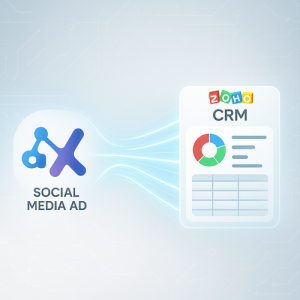
Zoho CRM lead automation: Transform Social Media Leads into Business Opportunities Instantly For small and mid-size businesses aiming to grow their customer base, fast and
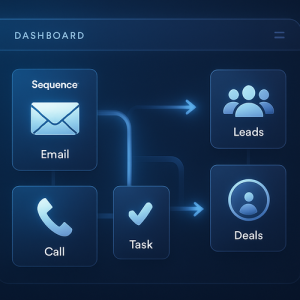
How CRM Cadences and Lead Nurturing Automation Drive Smarter Sales for Growing Businesses CRM Cadences and Lead Nurturing Automation give small and mid-size businesses an
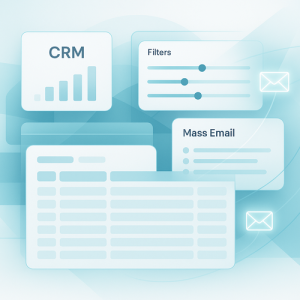
How CRM Views and Mass Emails Can Transform Small Business Productivity Small and mid-sized businesses are always searching for better ways to manage contacts and
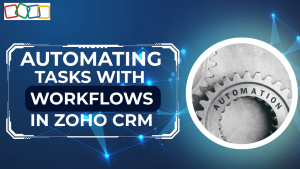
When you’re managing leads, clients, and countless follow-ups, even the smallest repetitive task can slow you down. That’s where workflows in Zoho CRM come in — your built-in tool for automating everyday actions so you can focus on what really matters.
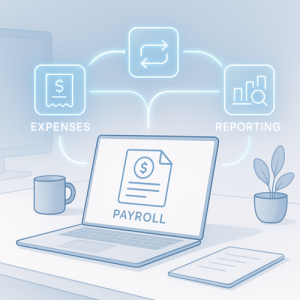
Zoho Payroll Review: How Amazing Business Results Clients Benefit from a Unified Payroll Solution Managing payroll efficiently is one of the most crucial tasks for
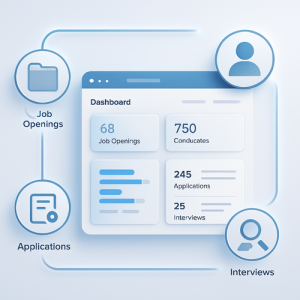
https://youtu.be/Gvzw1XhIrPg Understanding Zoho Recruit modules for Efficient Hiring Workflows Recruiting new talent can be challenging for small and mid-size businesses. To address this, Amazing Business

If you’ve ever wished your CRM could automatically manage outreach to new leads — from the first email to the follow-up call — then you’ll love Cadences, one of the latest automation features in Zoho CRM.
In this walkthrough with Carol DenHartog from Amazing Business Results, you’ll learn exactly how to set up, design, and manage cadences to streamline your sales process.
In the fast-paced world of client management, keeping your meetings organized across platforms is essential. Imagine scheduling a client meeting on your Google Calendar, only to realize later that it doesn’t appear in your CRM — leaving your team in the dark.
Email is at the heart of every customer relationship. But if your sales and support conversations live only in personal inboxes, you’re missing a key opportunity for collaboration and visibility.
By configuring your email inside Zoho CRM, you bring every conversation into one shared system—allowing your entire team to see what’s happening with each lead or contact. Whether it’s following up on a deal, verifying promises made to a client, or ensuring seamless handoffs between team members, this simple setup makes communication transparent and efficient.
When you’re working in Zoho CRM, every second counts — especially when managing multiple leads, contacts, and deals. The Record View is where you’ll spend most of your time, and understanding how to optimize it can dramatically improve your efficiency. In this session, we explore Record View Options in Zoho CRM — from customizing fields and tags to merging duplicates and using AI-driven insights.

As your CRM grows, it’s easy for things to get cluttered. Extra modules pile up, unused sections linger, and before long, your workspace feels overwhelming. The good news? With just a few clicks, you can organize your modules so your system works for you—not against you.
If you’re using Zoho — or even thinking about switching — the Zoho Q1 2026 updates are packed with important changes that could impact your workflows, automations, and business efficiency.
Every organization is unique — and so is the information it needs to collect from employees. Whether it’s personal details, time-off preferences, or project assignments, the ability to tailor your HR forms to match your company’s workflow is essential. In this tutorial, Carol DenHartog from Amazing Business Results walks you through how to edit forms inside Zoho People
Managing employee holidays can be a small detail that creates big headaches if not handled properly. Between tracking paid holidays, managing leave requests, and ensuring consistency across departments, HR teams often spend unnecessary time fixing calendar conflicts and adjusting leave balances.
Every successful business thrives on clarity. Knowing what’s really happening across your sales and marketing operations is the foundation for making smart decisions and driving growth. That’s where Zoho CRM’s reporting tools come in — helping you transform raw data into actionable insights.
https://youtu.be/BdbWmvsGw3o GoHighLevel vs Zoho CRM: Which Is Right for Your Business? (2026) This GoHighLevel vs Zoho CRM comparison addresses a key question for growing
Zoho CRM lead automation: Transform Social Media Leads into Business Opportunities Instantly For small and mid-size businesses aiming to grow their customer base, fast and
How CRM Cadences and Lead Nurturing Automation Drive Smarter Sales for Growing Businesses CRM Cadences and Lead Nurturing Automation give small and mid-size businesses an
How CRM Views and Mass Emails Can Transform Small Business Productivity Small and mid-sized businesses are always searching for better ways to manage contacts and
When you’re managing leads, clients, and countless follow-ups, even the smallest repetitive task can slow you down. That’s where workflows in Zoho CRM come in — your built-in tool for automating everyday actions so you can focus on what really matters.
Zoho Payroll Review: How Amazing Business Results Clients Benefit from a Unified Payroll Solution Managing payroll efficiently is one of the most crucial tasks for
https://youtu.be/Gvzw1XhIrPg Understanding Zoho Recruit modules for Efficient Hiring Workflows Recruiting new talent can be challenging for small and mid-size businesses. To address this, Amazing Business
If you’ve ever wished your CRM could automatically manage outreach to new leads — from the first email to the follow-up call — then you’ll love Cadences, one of the latest automation features in Zoho CRM.
In this walkthrough with Carol DenHartog from Amazing Business Results, you’ll learn exactly how to set up, design, and manage cadences to streamline your sales process.
In the fast-paced world of client management, keeping your meetings organized across platforms is essential. Imagine scheduling a client meeting on your Google Calendar, only to realize later that it doesn’t appear in your CRM — leaving your team in the dark.
Email is at the heart of every customer relationship. But if your sales and support conversations live only in personal inboxes, you’re missing a key opportunity for collaboration and visibility.
By configuring your email inside Zoho CRM, you bring every conversation into one shared system—allowing your entire team to see what’s happening with each lead or contact. Whether it’s following up on a deal, verifying promises made to a client, or ensuring seamless handoffs between team members, this simple setup makes communication transparent and efficient.
When you’re working in Zoho CRM, every second counts — especially when managing multiple leads, contacts, and deals. The Record View is where you’ll spend most of your time, and understanding how to optimize it can dramatically improve your efficiency. In this session, we explore Record View Options in Zoho CRM — from customizing fields and tags to merging duplicates and using AI-driven insights.
As your CRM grows, it’s easy for things to get cluttered. Extra modules pile up, unused sections linger, and before long, your workspace feels overwhelming. The good news? With just a few clicks, you can organize your modules so your system works for you—not against you.