Get started now

Marketing & Commerce in Zoho One

Building Your Marketing Machine with Zoho One

Most growing SMBs have the same marketing problem: their lead capture tool doesn’t talk to their CRM, their email marketing platform uses a separate contact list, and their live chat software has no idea which campaign drove a visitor to the website. Every disconnection means leads fall through gaps, follow-up is delayed, and the marketing team cannot see which activities are driving revenue.

Zoho One solves this by giving you a marketing stack where every app feeds the same CRM. A visitor submits a Zoho Forms contact form — the lead goes straight into Zoho CRM. Zoho SalesIQ identifies the visitor’s company and starts a chat. Zoho Campaigns adds them to the right nurture sequence automatically. Every touchpoint is visible on one contact record.


The Zoho Marketing Stack


Zoho Campaigns — Email Marketing

Zoho Campaigns is the email marketing platform natively connected to your CRM contacts. Unlike standalone email tools, Zoho Campaigns reads directly from your CRM — so segments are always current, personalisation is real, and unsubscribes reflect across the whole platform immediately.

Zoho SalesIQ — Live Chat & Visitor Intelligence

Zoho SalesIQ sits on your website and identifies who is visiting — company name, location, pages viewed, time on site — enabling live chat or automated bot conversations. When a visitor fills a chat form, their details flow into Zoho CRM as a lead, pre-tagged with the pages they visited.

Zoho Forms — Lead Capture & Data Collection

Zoho Forms handles all lead capture on your website and landing pages: contact forms, consultation requests, event registrations, job applications and more. Every submission creates a CRM lead automatically — no Zapier, no manual import.

Zoho Social — Social Media Management

Zoho Social handles social media scheduling, monitoring and analytics for Facebook, Instagram, LinkedIn, Twitter/X and Google My Business. It connects to Zoho CRM so social leads can be added to the CRM pipeline directly from social interactions.


The Capture-to-Convert Workflow


• A prospect finds your website. Zoho SalesIQ identifies their company and tracks the pages they visit.

• The prospect fills a consultation form (Zoho Forms).The form creates a lead in Zoho CRM tagged with the source page and campaign.

• The CRM lead creation triggers a Zoho Campaigns welcome sequence: an immediate confirmation email, a case study at day three, and a follow-up offer at day seven.

• The sales rep is notified in Zoho CRM when the prospect opens the case study email. They see the full engagement history before making contact.

• The deal closes in CRM. The contact moves from lead nurture to a client onboarding sequence in Zoho Campaigns automatically.


Once this workflow is in place, most clients see their lead response time drop from days to minutes. Work with a certified Zoho consultant to build your marketing stack correctly.
Marketing & Commerce in Zoho One

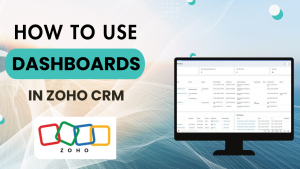
Mastering Dashboards: How to Customize and Share Views for Better Productivity

Dashboards are one of the most powerful tools for quickly accessing the information you need each day. Instead of digging through reports or multiple screens, a well-structured dashboard brings key insights right to your fingertips. In this session, we’ll walk through how to create, customize, and share dashboards—so you can set up views that help you and your team stay organized and ready to take action.

Read More »
Marketing & Commerce in Zoho One

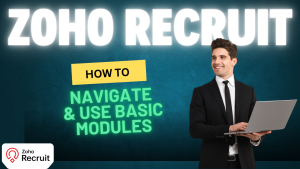
Getting Started with Basic Modules in Zoho Recruit

In this guide, we’ll explore the basic modules inside Zoho Recruit and how they form the foundation of your recruitment process.

Modules in Zoho Recruit are like buckets of information. Each one organizes a different aspect of your hiring process, from job openings to interviews. When you understand how they work—and how they connect—you’ll have a clear picture of your entire recruiting workflow.

Read More »
Marketing & Commerce in Zoho One

How to Customize Fields in Zoho Recruit for Smarter Hiring Workflows

Today we’re diving into a powerful feature inside Zoho Recruit that can make your hiring process more organized and efficient: field customization.
Every business has unique needs when it comes to recruitment. The information you track, how you structure it, and how it connects to other tools all impact how smooth your hiring workflow feels. With Zoho Recruit, you aren’t stuck with a “one size fits all” setup. Instead, you can fully customize fields to match your exact requirements.

Read More »
Marketing & Commerce in Zoho One

Mastering Related Lists in Zoho Recruit: A Complete Guide

Recruiting is all about keeping track of countless moving pieces: candidates, job openings, interviews, hiring managers, and more. Without the right system in place, details slip through the cracks, miscommunications happen, and efficiency suffers.
That’s where Zoho Recruit’s related lists come in. Related lists connect different modules inside Zoho Recruit so you can manage everything linked to a candidate or job opening in one place.

Read More »
Marketing & Commerce in Zoho One

How to Use Pre-Screening Assessments in Zoho Recruit

Finding the right candidate isn’t just about resumes and interviews—it’s also about creating a consistent and objective way to evaluate applicants. Zoho Recruit’s assessments feature is designed to help recruiters do exactly that. By setting up pre-screening assessments, you can automatically score responses, qualify candidates, and save valuable time in your hiring process.

Read More »
Marketing & Commerce in Zoho One

Mastering Social Media Scheduling with Zoho Social

In today’s fast-moving digital landscape, consistency is key. Posting regularly across multiple social media platforms is no longer optional—it’s essential for building trust, visibility, and engagement. Yet, juggling different platforms can quickly become overwhelming. That’s where Zoho Social comes in.

Read More »
Marketing & Commerce in Zoho One

Mastering CRM List Views and Mass Emails: A Detailed Guide

When working inside a CRM, efficiency and organization are everything. Instead of manually sorting through endless records or sending one-off emails, your CRM offers powerful tools to help you streamline the way you manage data and communicate with clients. Two of the most important features you can leverage are list views and mass emails.

Read More »
Marketing & Commerce in Zoho One

How to Set Up Time Off in Zoho People

Simplify Leave Management with Zoho People—Your Policies, Your Way.

Managing employee leave can quickly become complicated without the right system. Paid time off, sick leave, maternity leave—each comes with its own rules, entitlements, and eligibility requirements. That’s where Zoho People makes life easier.

Read More »
Marketing & Commerce in Zoho One

Zoho Cliq: More Than Just Messaging

Transform the Way Your Team CommunicatesWith Zoho Cliq, chat, collaborate, and get work done faster. The Problem with Modern Teamwork Think about how many platforms

Read More »
Marketing & Commerce in Zoho One

Exploring Zoho Mail: Features That Power Productivity

Exploring Zoho Mail: Features That Power Productivity https://www.youtube.com/watch?v=IRqAm9t282s Zoho Mail is more than just an email platform—it’s a productivity hub that brings together calendars, tasks,

Read More »