Zoho Campaigns is Zoho’s email marketing app. You build newsletters, promotions and automated email sequences, send them to lists and segments, and track opens, clicks and conversions. Its biggest advantage for Zoho users is the connection to Zoho CRM: lists stay in sync with your CRM, campaigns can target any CRM field and campaign activity shows up on the customer record for sales to see.
This guide covers what Zoho Campaigns does, what each plan costs, how it connects to Zoho CRM and the setup decisions that matter most. It sits in the Marketing & Commerce section of our Zoho One ecosystem guide.
What Zoho Campaigns Does
Email builder and templates
A drag-and-drop editor and a template gallery let you build branded emails without code, and save your own templates for reuse.
Lists and segmentation
Organize contacts into lists and segment them by any field, past campaign activity or CRM data, so each email goes to the people it is relevant to.
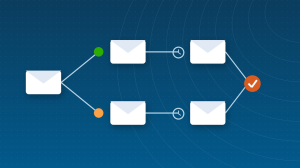
Automation workflows
Workflows send emails automatically based on triggers such as joining a list, clicking a link or a date, which powers welcome series, nurture sequences and follow-ups.
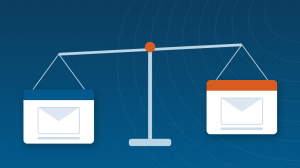
A/B testing
Test subject lines, content or sender names on part of a list, then send the winner to the rest.
Sign-up forms
Embed sign-up forms and pop-ups on your website to grow your list, with consent captured at the point of sign-up.
Reports
Track deliveries, opens, clicks, bounces and unsubscribes per campaign, and see which links and segments perform best.
How Zoho Campaigns Connects to Zoho CRM
- Sync leads and contacts from Zoho CRM into Campaigns lists, using CRM views or criteria.
- Keep the sync running, so new CRM records and changes flow into your lists automatically.
- Show campaign activity, such as opens and clicks, on CRM records so sales can see engagement.
- Use CRM workflows to add or remove people from campaigns as their status changes.
Zoho Campaigns also connects with other Zoho apps such as Zoho Forms and Zoho SalesIQ, and it is included in Zoho One.
Zoho Campaigns Pricing
Zoho Campaigns is priced by the number of contacts on your account.
| Plan | Starting price (500 contacts) | Email volume | Typical fit |
|---|
| Forever Free | $0 (up to 2,000 contacts) | 6,000 emails per month | Small lists and occasional newsletters |
| Standard | $4 per month, or $3 billed annually | Unlimited emails | Small businesses sending regular campaigns |
| Professional | $6 per month, or $4.50 billed annually | Unlimited emails | Teams needing advanced features such as dynamic content and ecommerce automation |
Prices rise as your contact count grows, and Zoho also offers pay-as-you-go email credits for occasional senders and SMS as an add-on. Check the current Zoho Campaigns pricing page with your real list size, and remember that Zoho One already includes Campaigns.
Who Gets the Most Value from Zoho Campaigns
- Businesses already using Zoho CRM or Zoho One that want email marketing on the same data.
- Service businesses that nurture leads over weeks or months before they buy.
- Small teams that want unlimited sending at a low price per contact.
- Companies that want sales to see marketing engagement on each record.
Setting Up Zoho Campaigns: The Decisions That Matter Most
- Authenticate your sending domain. Set up the DNS records Zoho Campaigns asks for, such as SPF and DKIM, before your first send, so emails reach the inbox.
- Import only contacts who agreed to hear from you, and keep a record of how they opted in.
- Connect Zoho CRM and decide which views or criteria feed each list, instead of uploading spreadsheets.
- Build two or three branded templates you will reuse, so every campaign looks consistent.
- Start with one automation, usually a welcome series for new subscribers or leads.
- Agree on the metric that matters for each campaign, such as clicks to a booking page or replies.
New users often mix these up. A list is a group of contacts you send to, such as Newsletter Subscribers or Customers. A segment is a filtered part of a list, such as customers in a particular region or contacts who clicked in the last 90 days; it updates as data changes. Tags are labels you add to contacts to group them across lists, such as webinar attendees. Keep lists few and broad, and use segments and tags for targeting, so you never maintain the same contact in five places.
Building Your First Campaign, Step by Step
- Choose the list or segment the campaign is for, and confirm everyone in it opted in.
- Pick a template or start from a saved branded template.
- Write the subject line and preview text, then the email with one clear call to action.
- Set the sender name and reply-to address, ideally a real person on your team.
- Send test emails to yourself and a colleague, and check them on a phone.
- Schedule the campaign for a time your audience is likely to read it.
- Review the report after a few days and note what to change next time.
Export your contacts with their consent details and the fields you use for segmentation, clean out bounced and unsubscribed contacts, authenticate your domain in Zoho Campaigns, then import or sync from Zoho CRM. Rebuild your key templates and automations, and send to your most engaged contacts first. Our comparison of Zoho Campaigns vs Mailchimp includes a step-by-step switching plan.
Deliverability Basics
The best email is useless in a spam folder. Most deliverability problems come from three causes: an unauthenticated domain, old or bought lists, and sending too much too soon. Authenticate your domain, clean your list of bounced and long-inactive contacts, send consistently and watch your bounce and complaint rates in each campaign report. If you are moving from another tool, start with your most engaged contacts and build volume over the first few sends.
Common Zoho Campaigns Mistakes
- Sending before the domain is authenticated, which hurts inbox placement from day one.
- Uploading spreadsheets instead of syncing from CRM, so lists go out of date quickly.
- One list for everyone, so every email is a compromise that suits nobody.
- Judging campaigns by open rate alone, which privacy features in some email apps now inflate.
- Never cleaning the list, so bounces and inactive contacts drag down deliverability and cost.
Zoho Campaigns Guides
Questions People Ask About Zoho Campaigns
Short answers, drawn from the guide above.
What is Zoho Campaigns used for?
Zoho Campaigns is used for email marketing: newsletters, promotions and automated email sequences sent to lists and segments, with reports on opens, clicks and conversions and native sync with Zoho CRM.
Is Zoho Campaigns free?
Zoho Campaigns has a Forever Free plan for up to 2,000 contacts and 6,000 emails per month. Paid plans with unlimited emails start at about $4 per month, or $3 billed annually, for 500 contacts.
Does Zoho Campaigns integrate with Zoho CRM?
Yes. Leads and contacts sync from Zoho CRM into Campaigns lists, changes keep flowing automatically, and campaign activity appears on CRM records.
Is Zoho Campaigns included in Zoho One?
Yes. Zoho Campaigns is one of the apps included in a Zoho One subscription.
Is Zoho Campaigns good for small businesses?
Yes, especially for small businesses using Zoho CRM. It offers a free plan, low pricing per contact with unlimited emails on paid plans, and marketing data on the same records as sales.
Can I send SMS from Zoho Campaigns?
Yes. SMS marketing is available as an add-on on paid plans, so you can reach contacts by text alongside email. Check Zoho’s pricing page for current SMS credit costs in your region.
How do I improve deliverability in Zoho Campaigns?
Authenticate your sending domain, send only to contacts who opted in, remove hard bounces and long-inactive contacts, keep a consistent sending schedule and watch bounce and complaint rates in each campaign report.
How many contacts can I have on the free plan?
The Forever Free plan covers up to 2,000 contacts and 6,000 emails per month. Beyond that, the Standard and Professional plans are priced by contact count with unlimited emails.
{"@context":"https://schema.org","@type":"FAQPage","mainEntity":[{"@type":"Question","name":"What is Zoho Campaigns used for?","acceptedAnswer":{"@type":"Answer","text":"Zoho Campaigns is used for email marketing: newsletters, promotions and automated email sequences sent to lists and segments, with reports on opens, clicks and conversions and native sync with Zoho CRM."}},{"@type":"Question","name":"Is Zoho Campaigns free?","acceptedAnswer":{"@type":"Answer","text":"Zoho Campaigns has a Forever Free plan for up to 2,000 contacts and 6,000 emails per month. Paid plans with unlimited emails start at about $4 per month, or $3 billed annually, for 500 contacts."}},{"@type":"Question","name":"Does Zoho Campaigns integrate with Zoho CRM?","acceptedAnswer":{"@type":"Answer","text":"Yes. Leads and contacts sync from Zoho CRM into Campaigns lists, changes keep flowing automatically, and campaign activity appears on CRM records."}},{"@type":"Question","name":"Is Zoho Campaigns included in Zoho One?","acceptedAnswer":{"@type":"Answer","text":"Yes. Zoho Campaigns is one of the apps included in a Zoho One subscription."}},{"@type":"Question","name":"Is Zoho Campaigns good for small businesses?","acceptedAnswer":{"@type":"Answer","text":"Yes, especially for small businesses using Zoho CRM. It offers a free plan, low pricing per contact with unlimited emails on paid plans, and marketing data on the same records as sales."}},{"@type":"Question","name":"Can I send SMS from Zoho Campaigns?","acceptedAnswer":{"@type":"Answer","text":"Yes. SMS marketing is available as an add-on on paid plans, so you can reach contacts by text alongside email. Check Zoho's pricing page for current SMS credit costs in your region."}},{"@type":"Question","name":"How do I improve deliverability in Zoho Campaigns?","acceptedAnswer":{"@type":"Answer","text":"Authenticate your sending domain, send only to contacts who opted in, remove hard bounces and long-inactive contacts, keep a consistent sending schedule and watch bounce and complaint rates in each campaign report."}},{"@type":"Question","name":"How many contacts can I have on the free plan?","acceptedAnswer":{"@type":"Answer","text":"The Forever Free plan covers up to 2,000 contacts and 6,000 emails per month. Beyond that, the Standard and Professional plans are priced by contact count with unlimited emails."}}]}