A Zoho Books accountant is the accountant or bookkeeper who works inside your Zoho Books file on a regular basis: reconciling bank accounts, handling monthly financial reporting, filing sales tax or GST/HST and handling year-end work. To find one, search Zoho’s Finance Advisor Directory, ask your current accountant whether they work in Zoho Books, and use the 8 questions below to check their experience before you hire.
This is not the person who sets up Zoho Books or moves your data into it. If you are moving from QuickBooks, Xero or Sage, Amazing Business Results offers a Zoho Books migration service for that part. The accountant described here takes over once your books are live.
What a Zoho Books Accountant Does
The work falls into three areas: regular bookkeeping, tax compliance and financial advice.
Monthly bookkeeping, bank reconciliation and financial reporting
Zoho Books is cloud accounting software, so your accountant works in the same file as your team and sees the same numbers in real time. Each month they review the transactions that come in through your bank and credit card feeds, apply bank rules, categorize what the rules miss and reconcile each account. They correct coding errors, check uncategorized items and post recurring entries such as rent, subscriptions or loan payments before closing the period. They also match customer invoices to online payments from your payment gateways, and check that vendor bills and expenses are recorded against the right accounts, so you can track what the business spends with each vendor.
They also review the receipts your team uploads from the Zoho Books app on their phones and match them to the right expense accounts. Each month they prepare the core financial statements: profit and loss, balance sheet, cash flow, and AR and AP aging. If you need deeper analysis, Zoho Books also connects to Zoho Analytics.
Sales tax, GST/HST filings and year-end work
In the US, your accountant keeps track of state and local sales tax, checks that invoices carry the right rates, runs the sales tax summaries and prepares the filings. Zoho Books handles sales tax, GST/HST and other regional tax calculations, but someone still has to check the setup is right. In Canada, the same applies to GST, HST, PST and QST, depending on the province. If you sell in other currencies, they also check foreign currency entries and currency gains or losses.
At year end, the accountant posts adjusting entries for depreciation, accruals and prepaid expenses, locks closed periods and prepares the documentation your tax preparer or auditor needs, helped by the audit trail in Zoho Books.
Advice for growing businesses on cash flow and decisions
A good accountant does more than record transactions. They compare month-over-month and year-over-year results, point out where costs are rising, where profitability is thin or where collections are slowing, turn the numbers into insights you can act on, and help you plan for tight cash periods, large purchases or new hires. That gives you better visibility into your finances and operations, so you can focus on running the business.
Accountant vs Implementation Partner: Who Does What
An accountant handles the ongoing accounting, tax and advisory work. An implementation partner designs your Zoho Books setup, migrates your data and builds integrations and automation. Many businesses use both: the partner for the setup, the accountant for everything after. If you are still choosing the partner, see our guide on how to choose a Zoho Books implementation partner.
| Task | Accountant | Implementation partner |
|---|---|---|
| Monthly bookkeeping and bank reconciliation | Does this every month | Not involved after setup |
| Financial reports | Prepares them and reviews them with you | Sets up report templates, custom fields and dashboards |
| Sales tax or GST/HST filings | Prepares and files them on an ongoing basis | Configures tax settings during setup |
| Year-end adjustments and audit support | Posts entries and prepares statements | Not usually involved |
| Migration from QuickBooks, Xero or Sage | Reviews and signs off on the migrated balances | Leads the migration |
| Chart of accounts and system design | Reviews and suggests changes | Designs and builds it |
If your file is already set up and working, you most likely need an accountant. If not, start with an implementation partner and bring your accountant in before go-live.
Zoho Books Plans and Features Your Accountant Will Work With
Zoho Books has a Free plan for small businesses under a revenue limit, and paid plans called Standard, Professional, Premium, Elite and Ultimate. Paid plans are priced per organization, so each separate company you run needs its own subscription. Zoho’s pricing page for your country lists each plan’s current limits.
Before you commit, Zoho offers a 14-day free trial of the paid plans. That gives your accountant time to test bank feeds, reports and tax settings with your own data.
Day to day, your accountant will rely on a few features most: bank feeds and bank rules, recurring transactions, multi-currency with exchange rates, the audit trail, and receipts your team captures in the Zoho Books mobile app. Accountants who support several businesses can also use the Manage Clients view, which is available to users with the Accountant role.
Where to Find Accounting Professionals Who Know Zoho Books
Zoho sells the software platform. It does not provide accounting or bookkeeping services itself, so you hire your own professional and invite them into your file. Here are three places to look.
Zoho’s Finance Advisor Directory
Zoho runs the Zoho Finance Advisor Directory, which lists accountants, bookkeepers, and implementation and migration experts who work with Zoho. You can narrow the list by country. A listing shows that the practice works with Zoho; it is still up to you to check their experience and fit.
Your current accounting and bookkeeping firm
If you already work with a CPA or bookkeeping practice, ask whether they will work inside Zoho Books. Many accountants already work in more than one accounting system. Make sure they will work directly in your file instead of asking you to export spreadsheets every month.
Referrals from other Zoho Books users
Other business owners who use Zoho Books can tell you who responds quickly and explains the numbers clearly. Ask in industry groups or Zoho user communities.
How to Find a Zoho Books Accountant: 8 Questions to Ask
These questions separate accountants who work in Zoho Books every week from those who have only heard of it.
How many of your clients use Zoho Books?
You want accountants working primarily or regularly in Zoho Books, across several client files. Ask how long they have used it and what kinds of clients they support in it. Some accounting practices also use Zoho Practice, Zoho’s practice management software, to manage and track work across all their Zoho Books clients.
Have you completed Zoho Books training or certification?
Zoho runs a Zoho Books partner program for accountants, and its training and certification course is required for anyone applying to that program. Ask whether the accountant has completed it, and how they keep up with new Zoho Books features and tax changes.
How do you handle bank feeds and monthly reconciliation?
Ask how they use bank rules, how often they reconcile and how they resolve differences. Bank feeds and other automation save time, but someone still has to review what the rules categorize.
Which tax filings will you handle, and for which states or provinces?
Confirm which filings they will prepare and submit: sales tax, GST/HST, PST, QST, 1099s or others. Make sure they cover every state or province where you collect tax.
How will you access our Zoho Books organization?
The right answer is the built-in Accountant role, not a shared login. Zoho Books uses roles and permissions to control what owners, employees and accountants can see, so each user gets their own secure login and collaboration happens in one file.
What reports will we get each month?
Agree on the deliverables: profit and loss, balance sheet, cash flow, AR and AP aging, and a short note on what the numbers mean. Ask how soon after month-end you will receive them, and whether they will flag concerns before you ask.
How do you price your work?
Common pricing models are a monthly fixed fee, hourly billing or a price per task. The cost depends on your transaction volume, the number of bank and card accounts, the number of entities and tax filings, and whether old records need cleanup first. Accountant fees are separate from your Zoho Books subscription.
Who do we contact when something looks wrong?
Find out who your day-to-day support contact is and how quickly corrections are made.
How to Give Your Accountant Secure, Real Time Access in Zoho Books
Zoho Books has an Accountant role meant for tax filing, auditing and compliance. To invite your accountant:
- Go to Settings, then Users & Roles, then Users.
- Click Invite Accountant.
- Enter the accountant’s name and email address.
- Click Send Invite.
The accountant receives an email invitation and gets access to your organization once they accept it. If you want to change what they can see or do, clone the predefined Accountant role and adjust its permissions. You can remove that user’s access at any time.
Signs Your Accountant Is Not a Good Fit for Zoho Books
Be careful if your accountant will not log in with the Accountant role and asks you to export data instead. Late reconciliations and the same coding mistakes month after month are also warning signs.
The same goes for an accountant who treats Zoho Books like a spreadsheet or cannot explain your financials in plain language.
Where ABR Fits
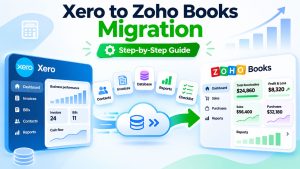
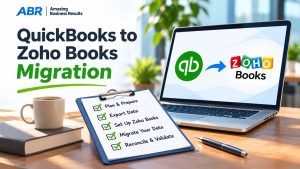
Amazing Business Results has worked with Zoho since 2013, has been a Zoho Premium Partner for 9 years and has completed 2,000+ Zoho projects, with 190+ five-star reviews on Zoho and Google. ABR is not an accounting or bookkeeping firm. We help businesses move into Zoho Books from QuickBooks, Xero and Sage, and we work alongside your accountant during that move. Our step-by-step guides for QuickBooks and Xero show what that involves.
If you are planning the switch, see how our Zoho Books migration service works.
Frequently Asked Questions About Zoho Books Accountants
Does Zoho provide accountants for Zoho Books?
No. Zoho sells the software and runs the Zoho Finance Advisor Directory, which lists independent accountants, bookkeepers and migration experts. You hire your own accountant and invite them into your Zoho Books file.
Can I keep my current accountant if I switch accounting software?
Yes, if they are willing to work inside Zoho Books. If you are moving from a desktop app such as QuickBooks Desktop, the biggest change for your accountant is working in a shared cloud file instead of passing files back and forth. Invite them early and ask them to review the opening balances and chart of accounts before go-live.
What is the Accountant role in Zoho Books?
It is a predefined role in Zoho Books meant for tax filing, auditing and compliance. You invite your accountant from Settings, Users & Roles, and they get access once they accept the email invitation. You can clone the role to change its permissions.
Should my accountant or an implementation partner set up Zoho Books?
An implementation partner is usually better suited to the setup: designing the chart of accounts, configuring tax, migrating data and building integrations. Your accountant should review that setup before go-live and then take over the monthly bookkeeping, financial reporting and filings.
How much does an accountant for Zoho Books cost?
It depends on your transaction volume, the number of bank and card accounts, the number of entities and tax filings, how much reporting you need and whether old records need cleanup. Accountant fees are separate from your Zoho Books subscription, so ask for a written quote based on your actual workload.
{"@context":"https://schema.org","@type":"FAQPage","mainEntity":[{"@type":"Question","name":"Does Zoho provide accountants for Zoho Books?","acceptedAnswer":{"@type":"Answer","text":"No. Zoho sells the software and runs the Zoho Finance Advisor Directory, which lists independent accountants, bookkeepers and migration experts. You hire your own accountant and invite them into your Zoho Books file."}},{"@type":"Question","name":"Can I keep my current accountant if I switch accounting software?","acceptedAnswer":{"@type":"Answer","text":"Yes, if they are willing to work inside Zoho Books. If you are moving from a desktop app such as QuickBooks Desktop, the biggest change for your accountant is working in a shared cloud file instead of passing files back and forth. Invite them early and ask them to review the opening balances and chart of accounts before go-live."}},{"@type":"Question","name":"What is the Accountant role in Zoho Books?","acceptedAnswer":{"@type":"Answer","text":"It is a predefined role in Zoho Books meant for tax filing, auditing and compliance. You invite your accountant from Settings, Users & Roles, and they get access once they accept the email invitation. You can clone the role to change its permissions."}},{"@type":"Question","name":"Should my accountant or an implementation partner set up Zoho Books?","acceptedAnswer":{"@type":"Answer","text":"An implementation partner is usually better suited to the setup: designing the chart of accounts, configuring tax, migrating data and building integrations. Your accountant should review that setup before go-live and then take over the monthly bookkeeping, financial reporting and filings."}},{"@type":"Question","name":"How much does an accountant for Zoho Books cost?","acceptedAnswer":{"@type":"Answer","text":"It depends on your transaction volume, the number of bank and card accounts, the number of entities and tax filings, how much reporting you need and whether old records need cleanup. Accountant fees are separate from your Zoho Books subscription, so ask for a written quote based on your actual workload."}}]}