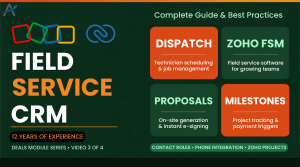
Field service businesses run on a loop: a request comes in, someone quotes it, a technician is scheduled, the job is done on site, and an invoice goes out. Most small operators run that loop on phone calls, a whiteboard and a spreadsheet. Zoho FSM replaces the loop end to end, and because it sits in Zoho One it shares customers with Zoho CRM and money with Zoho Books. This hub covers what it does, its unusual pricing model and how to set it up.
What Zoho FSM Does
- Requests and estimates: capture a service request, price it and convert it to a work order.
- Work orders: the job record, with services, parts, assets and the customer’s history.
- Scheduling and dispatch: a dispatch console with drag-and-drop assignment, technician availability and skills.
- Technician mobile app: job details, navigation, checklists, photos, customer signatures and timesheets, with offline use.
- Service reports: generated at job completion for the customer.
- Invoicing and payments through Zoho Books, with multiple payment options.
- Maintenance plans: recurring work orders for contracts.
- Inventory and assets: parts used per job, and the equipment installed at each site.
How FSM Pricing Works
Unlike most field service tools, FSM is not priced per user. Plans are based on the number of appointments you schedule per month, so a growing crew does not raise the licence cost by itself. There is a free plan with a monthly appointment allowance, and paid Standard and Professional plans with higher allowances and features such as maintenance plans and field permissions.
| Plan | Model | Fit |
|---|
| Free | A fixed number of appointments per month, unlimited users | Very small operations testing the workflow |
| Standard | Priced by monthly appointment tier | Established service businesses |
| Professional | Priced by monthly appointment tier, more automation and controls | Multi-crew operations and maintenance contracts |
Zoho changes FSM’s tiers and limits periodically and prices differ by region, so confirm the current appointment allowances on the official Zoho FSM pricing page before choosing a plan. Check whether FSM is included in your Zoho One edition or sold as an add-on in your region.
Pricing checked October 2026. These are Zoho’s published rates at the time of writing. They change over time, vary by region and currency, and may differ inside Zoho One, so confirm the current figures on the official pricing page linked above before you decide.
A Day in FSM
- A customer calls or submits a form; the request is logged against their account.
- The office creates an estimate, the customer accepts, and it becomes a work order.
- The dispatcher assigns the job on the board, matching skills and location.
- The technician gets the job on the mobile app, drives there with navigation, completes the checklist, takes photos and collects a signature.
- The service report goes to the customer and the invoice is raised in Books, paid on site or later.
- Parts used update inventory, and the equipment record notes the service date.
Where FSM Connects
| App | What flows |
|---|
| Zoho CRM | Customers, contacts and deals that become service work |
| Zoho Books | Invoices, payments and customer balances |
| Zoho Inventory | Parts stock and usage |
| Zoho Desk | Support tickets that need a site visit |
| Zoho Cliq and Mail | Dispatch notifications and customer updates |
Setting Up FSM Well
- Build your service catalogue first: standard services, parts and prices.
- Define technician skills and territories so dispatch suggestions make sense.
- Keep checklists short; long ones get skipped on site.
- Decide what the customer sees on the service report and sign-off.
- Connect Books before the first invoice, so numbering and taxes are right from day one.
Common Mistakes
- Choosing a plan by user count out of habit; FSM is priced by appointments.
- Skipping maintenance plans and recreating recurring jobs by hand.
- Letting technicians work off printouts because the mobile app was never set up offline.
- Running invoices outside Books and losing the link between job and payment.
Jobber, ServiceTitan and Housecall Pro are deeper in some trades and have larger partner ecosystems, usually at higher per-user prices. FSM’s strengths are the appointment-based pricing, the native link to CRM, Books and Inventory, and one customer record across sales, service and billing. For a business already on Zoho, it removes two integrations before it starts.
The Technician App in Detail
Most field service tools are judged by the technician’s phone, because that is where the work gets recorded or not. FSM’s app shows the day’s jobs in order, opens navigation to the site, carries the customer’s history and the equipment installed there, runs the checklist, takes photos and signatures, logs parts used and time spent, and raises the invoice when the job closes. It works offline on site and syncs when the connection returns. Technicians who dislike paperwork tend to accept it because it replaces the end-of-day write-up.
Dispatch That Scales Past Two Crews
- Skills and certifications on each technician, so the board suggests who can do the job.
- Territories and travel time, so a dispatcher sees the cost of a far-away assignment.
- Status updates from the app: en route, started, completed, which the office sees live.
- Automatic notifications to the customer at each stage, from Zoho Cliq, Mail or SMS.
Maintenance Contracts and Recurring Work
Maintenance plans turn a contract into a schedule: quarterly boiler checks, annual inspections, monthly cleans. FSM generates the work orders on the plan’s cadence, so renewal-based revenue is delivered without someone remembering to create jobs, and the equipment record shows the service history when the customer calls. For businesses with service agreements this is the feature that pays for the software.
Reports Owners Actually Use
| Report | What it tells you |
|---|
| Jobs completed per technician | Productivity and training needs |
| First-time fix rate | Whether technicians arrive with the right parts and information |
| Revenue per job type | Which services to push and which to reprice |
| Estimate to work order conversion | How well quotes are landing |
| Overdue invoices by job | Cash tied up in completed work |
Parts and Inventory on the Road
Jobs stall when the technician arrives without the part. FSM tracks parts per work order and, with Zoho Inventory connected, shows stock in the warehouse and in each van. Dispatchers see whether a job can be completed in one visit before assigning it, and parts used on site reduce stock automatically, so reorders happen on real numbers rather than on a monthly count.
- Appointment confirmations and reminders by email or SMS.
- Technician en-route notifications with an estimated arrival time.
- Service reports with photos and the signature, sent at completion.
- Invoice and payment links from Zoho Books, with online payment.
- A customer portal for request history and upcoming appointments on higher plans.
FSM or a Custom Module in Zoho CRM?
Some businesses track site visits in a custom Zoho CRM module with a calendar and call it field service. That works for a handful of visits a week with one technician. It stops working when dispatch needs skills and travel time, technicians need an offline app with checklists and signatures, parts have to be tracked per job, and invoices must follow completion automatically. FSM is built for that loop; CRM is built for the relationship around it. Most service businesses end up using both, with CRM holding the customer and FSM holding the work.
Questions People Ask About Zoho FSM
Short answers, drawn from the guide above.
What is Zoho FSM?
Zoho FSM is Zoho's field service management app: service requests, estimates, work orders, scheduling and dispatch, a technician mobile app, service reports and invoicing through Zoho Books.
How is Zoho FSM priced?
By the number of appointments scheduled per month, not per user. There is a free plan with a monthly allowance and paid Standard and Professional tiers with higher allowances and more features.
Is Zoho FSM included in Zoho One?
It depends on your region and edition; in some regions it is sold as an add-on. Check your Zoho One subscription or the FSM pricing page.
Does the FSM mobile app work offline?
Yes. Technicians can view jobs, complete checklists and capture photos and signatures offline, and the app syncs when a connection returns.
Does Zoho FSM integrate with Zoho Books?
Yes. Invoices for completed work orders are raised in Zoho Books, and payments and balances flow back to FSM.
Which industries use Zoho FSM?
Home services, HVAC, plumbing, electrical, security systems, roofing, cleaning, equipment maintenance and any business that sends technicians to customer sites.
Can customers approve estimates online?
Yes. Estimates are sent for online acceptance, and an accepted estimate converts into a work order without re-entry.
{"@context":"https://schema.org","@type":"FAQPage","mainEntity":[{"@type":"Question","name":"What is Zoho FSM?","acceptedAnswer":{"@type":"Answer","text":"Zoho FSM is Zoho's field service management app: service requests, estimates, work orders, scheduling and dispatch, a technician mobile app, service reports and invoicing through Zoho Books."}},{"@type":"Question","name":"How is Zoho FSM priced?","acceptedAnswer":{"@type":"Answer","text":"By the number of appointments scheduled per month, not per user. There is a free plan with a monthly allowance and paid Standard and Professional tiers with higher allowances and more features."}},{"@type":"Question","name":"Is Zoho FSM included in Zoho One?","acceptedAnswer":{"@type":"Answer","text":"It depends on your region and edition; in some regions it is sold as an add-on. Check your Zoho One subscription or the FSM pricing page."}},{"@type":"Question","name":"Does the FSM mobile app work offline?","acceptedAnswer":{"@type":"Answer","text":"Yes. Technicians can view jobs, complete checklists and capture photos and signatures offline, and the app syncs when a connection returns."}},{"@type":"Question","name":"Does Zoho FSM integrate with Zoho Books?","acceptedAnswer":{"@type":"Answer","text":"Yes. Invoices for completed work orders are raised in Zoho Books, and payments and balances flow back to FSM."}},{"@type":"Question","name":"Which industries use Zoho FSM?","acceptedAnswer":{"@type":"Answer","text":"Home services, HVAC, plumbing, electrical, security systems, roofing, cleaning, equipment maintenance and any business that sends technicians to customer sites."}},{"@type":"Question","name":"Can customers approve estimates online?","acceptedAnswer":{"@type":"Answer","text":"Yes. Estimates are sent for online acceptance, and an accepted estimate converts into a work order without re-entry."}}]}