Get started now
Zoho CRM | Workflows & Automation Rules

Zoho CRM Workflow Rules and Blueprint: The Guides in One Place

Workflows & Automation Rules
Which tool to use for which job, how to build each one well, and the guides for workflows, Blueprint, approvals and follow-up rules.

At a glance

What it is
Workflow rules, Blueprint, approval processes and follow-up rules in Zoho CRM, with build guides
Best for
Admins and sales leaders automating day-to-day sales work
Pricing
Workflow rules in every paid edition; Blueprint from Professional; limits rise by edition
Zoho One
Included
✓2,000+Zoho projects delivered
13+13+ yearsbuilding Zoho systems
●US · Canada · EuropePremium Partner
Workflow rules and Blueprint do most of the automation work in Zoho CRM. Workflow rules fire automatically when a record meets conditions: send an email, update a field, create a task, call a function. Blueprint enforces a process, so users must complete defined steps before a record can move on. Approval processes add sign-off. This guide covers when to use each, how to build them so they stay maintainable, and the guides from ABR and Lior Izik, from the first three automations to Blueprint handoffs between teams.

Most of the automation that saves a sales team time comes from two tools: workflow rules, which act on their own when conditions are met, and Blueprint, which makes sure a process is followed step by step. This part of Advanced Automation & AI gathers the guides for both, plus approvals and follow-up rules. If you are new to it, start with Lior Izik’s first three automations to build.

Workflow Rule, Blueprint or Approval?

You need toUse
Send an alert, update a field or create a task when something happensWorkflow rule
Make every rep complete the same steps before a deal moves onBlueprint
Get a manager’s sign-off on a discount or non-standard termsApproval process
Chase records nobody has touched for a set timeWorkflow rule on time in stage, or a follow-up rule

The full comparison, with examples, is in Zoho CRM workflow vs Blueprint.

Workflow Rules

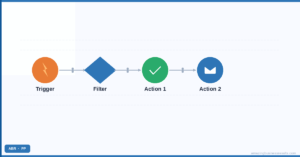
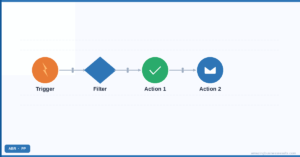
A workflow rule has a trigger (a record is created, edited, reaches a date, or meets a score), optional conditions, and actions: email, field update, task, webhook or custom function. They need no code and suit most day-to-day automation. Start with mastering workflows in Zoho CRM, see them applied to sales in automating your sales process, and keep them tidy with five tips for optimising workflows.

Blueprint

Blueprint maps a process as states and transitions. Each transition can require fields, attachments or checklist items, run automation, and set time limits, so a deal cannot jump from Discovery to Contract Sent without the proposal being logged. It is the right tool when consistency across a team matters. Read how to build process-driven sales flows, Blueprint explained and Blueprint for handoffs between teams.

Approvals and Follow-Up Rules

Which Process to Automate First

Automate the processes that happen most often, cost the most time and look the same every time. A rule that fires fifty times a day beats a clever one that fires twice a month. The method is in the right process to automate in your CRM.

Building Rules That Stay Maintainable

  1. Name every rule for what it does and who owns it.
  2. Test with a condition that only matches a test record, then remove it.
  3. One rule per outcome; avoid three rules firing on the same event.
  4. Review execution logs monthly for failures and duplicates.
  5. Document Blueprints with a one-page diagram the team can read.

Availability by Edition

EditionWorkflow and process automation
StandardWorkflow rules, with lower limits
ProfessionalPlus Blueprint and approval processes
EnterpriseHigher limits, multiple Blueprints per module, sandbox
UltimateThe highest limits

Pricing checked October 2026. These are Zoho’s published rates at the time of writing. They change over time, vary by region and currency, and may differ inside Zoho One, so confirm the current figures on the official pricing page linked above before you decide.

Common Mistakes

  • A workflow rule where a Blueprint is needed, so steps are skipped.
  • Rules with no conditions firing on every record, including tests.
  • Automation built before the pipeline stages are agreed.
  • Nobody owning the rules, so duplicates pile up.

Questions People Ask About Workflows & Automation Rules

Short answers, drawn from the guide above.

What is a workflow rule in Zoho CRM?

An automation that runs when a record meets a trigger and conditions, performing actions such as emails, field updates, tasks, webhooks or functions.

What is the difference between a workflow rule and Blueprint?

Workflow rules act on their own; Blueprint makes users complete defined steps before a record can move to the next stage.

Which edition includes Blueprint?

Professional, Enterprise and Ultimate.

How do I test a workflow rule safely?

Add a condition that only matches a test record, run it, check each action, then remove the condition.

Can workflow rules call code?

Yes, through custom functions written in Deluge, or webhooks to outside systems.

How many workflow rules should a CRM have?

As few as do the job: one rule per outcome, named clearly, reviewed monthly.

Watch: video guides for this section

Demos and tutorials picked for this section. Subscribe to the ABR channel for more.

Subscribe to the channel

Guides in this section

Every article filed under this category, newest first.

Zoho CRM blueprint handoff
Workflows & Automation Rules

Zoho CRM blueprint handoff

See how a Zoho CRM blueprint handoff helps clarify requirements, prevent build errors, and turn architecture into a smooth implementation process.
Read ›
Zoho CRM automations
CRM & Sales Process Automation

The First 3 CRM Automations You Should Build

Before anything fancy, you need a strong automation foundation. The right early automations remove delays, reduce human error, and make sure nothing important slips through the cracks.

In this guide, we’ll break down the first three automations every business should build, why they matter, and how they work — even if you’re brand new to CRM.

Read ›
Workflows in Zoho CRM
Workflows & Automation Rules

Mastering Workflows in Zoho CRM: Automate Tasks and Save Time

When you’re managing leads, clients, and countless follow-ups, even the smallest repetitive task can slow you down. That’s where workflows in Zoho CRM come in — your built-in tool for automating everyday actions so you can focus on what really matters.

Read ›
Metal gears with the words Automation and Productivity
Workflows & Automation Rules

The Right Process To Automate Your CRM

In today’s fast-paced business environment, automating processes is crucial to boosting productivity and achieving success. Zoho One automation offers an excellent solution for businesses looking to streamline their operations and create efficient processes. As an experienced Zoho consultant, I have helped over 1,700 customers and trained more than 10,000 business owners. Based on my extensive experience, I can confidently say that automating business processes is the main goal of Zoho users.

Read ›
Hand in a suit sleeve holding glowing gears above a network of lines
Workflows & Automation Rules

How to Automate Your Sales Process with Zoho CRM Workflows

Are you tired of spending endless hours on manual sales processes, like lead nurturing and follow-up, that could be automated? With Zoho CRM workflows, you can automate your sales process, save time, and increase productivity. As a Zoho premium partner with offices in USA and Canada, Amazing Business Results has …

Read ›
Hand holding a tablet showing a WORKFLOW diagram with surrounding icons
Workflows & Automation Rules

5 Tips for Optimizing Your Zoho CRM Workflow

Zoho CRM is a powerful tool that can help your business manage its sales, marketing, and customer support activities. However, if you’re not using the platform to its fullest potential, you may be missing out on key features that could help you streamline your workflows and achieve better results. Here …
Read ›
A note on pricing. Prices and plan limits on this page are Zoho's published rates at the time of writing and change over time, vary by region and currency, and can differ inside Zoho One. Always confirm current figures on Zoho's official pricing page or ask us before you buy.

Want this set up properly?

We configure Zoho apps around how your business actually runs, connect them to the rest of your stack and train your team. ABR is a Zoho Premium Partner with 2,000+ completed projects since 2013.

  • A Zoho Premium Partner team
  • Configured around your process
  • Connected to CRM, Books and Cliq
  • Your team trained