Intelligent Workflows: How AI Is Transforming Business Automation
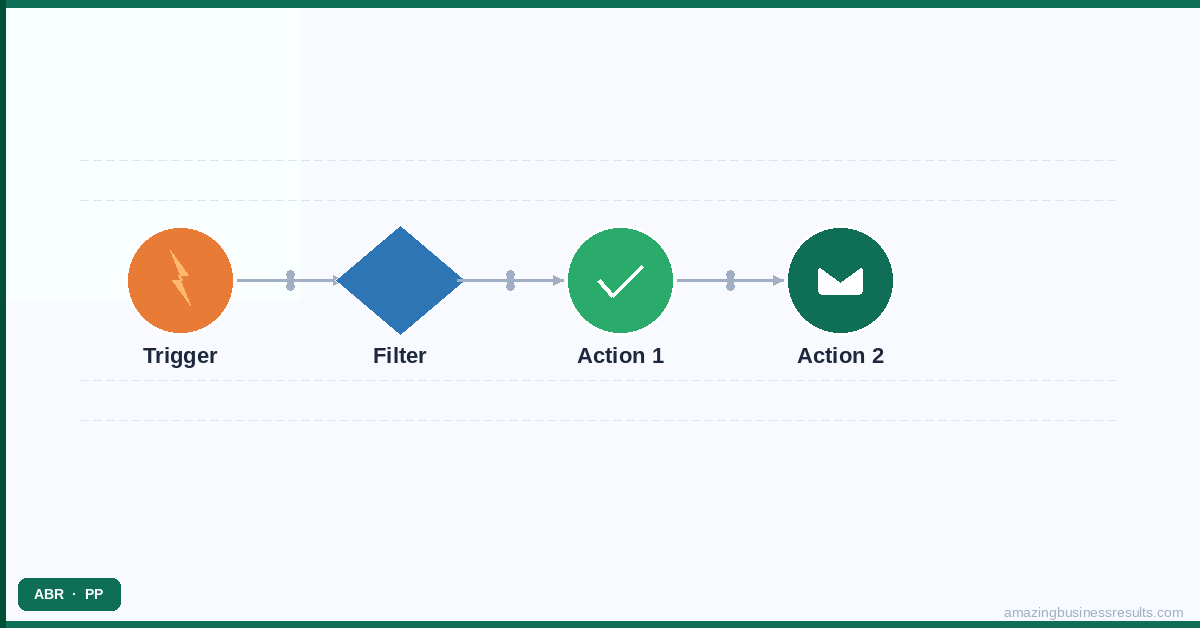
The Three Levels of Business Automation
Understanding where AI fits in the automation landscape requires understanding the three levels of automation sophistication. Most SMBs are operating at Level 1. The opportunity at Levels 2 and 3 is significant.
Level 1: Rule-Based Automation
If X happens, do Y. A new lead is created → assign to rep A, send a welcome email, create a follow-up task. The rule always does the same thing regardless of context. Rule-based automation is the foundation of every CRM workflow, every scheduled email reminder and every conditional field update in Zoho CRM.
This is where most SMBs operate. It is valuable, well-understood and relatively easy to implement. ABR’s clients who automate at Level 1 consistently report saving two to four hours per rep per week on manual tasks.
Level 2: Conditional Automation
If X happens, evaluate conditions A, B, C and then choose the appropriate action. A lead is created → check the lead score, check the company size, check the lead source → if the score is above 50 and the company has more than 100 employees and the source is demo request, assign to senior rep and enrol in high-touch cadence. Otherwise, assign to standard rep and enrol in standard nurture cadence.
Conditional automation is where Zoho CRM’s blueprints, cadences and scoring rules operate. It allows more nuanced, context-aware automation responses. ABR clients who implement Level 2 automation report higher lead conversion rates because the right action is taken for each specific situation rather than the same action being taken for every situation.
Level 3: Intelligent Automation
Learn from patterns, predict outcomes and recommend actions. A lead is created → Zia AI analyses the lead’s profile against historical conversion data → predicts an 87% likelihood of conversion → flags the lead for immediate senior rep attention → sends the rep a “high-priority lead” notification with the prediction rationale.
Level 3 automation is powered by AI and machine learning operating on your own CRM data. The intelligence improves over time as more data flows through the system. Zia — Zoho’s built-in AI layer — operates at Level 3 across Zoho CRM, Zoho Analytics and Zoho Campaigns.
How Zoho**'**s AI Tools Work for SMBs
Zoho’s AI capabilities are not theoretical or enterprise-only. They are practical, usable tools that work on real SMB data from the first month of implementation.
Zia in Zoho CRM
Zia analyses the activity patterns and characteristics of your historical leads and deals to build predictive scoring models. The models score your current open leads and deals in real time — showing which ones are most likely to convert based on patterns in your own data, not generic industry benchmarks. Zia also flags anomalies in your pipeline (a rep whose deal velocity has dropped significantly, a stage where deals are stalling more than usual) and suggests the best time to contact specific prospects based on historical response patterns.
See the Zoho Zia AI features guide for the full capability breakdown.
Zoho Analytics AI
Zoho Analytics identifies patterns in your sales and operational data that are not visible in standard reports. It can detect trend changes before they are obvious in monthly reporting, predict revenue based on current pipeline data and historical close rates and surface the correlations in your data that explain why some campaigns convert better than others.
Zoho Campaigns AI
Zoho Campaigns uses AI to optimise email campaign performance: analysing each contact’s historical open patterns to suggest the best send time for their timezone and behaviour, generating subject line suggestions based on your historical open rate data and identifying contacts at risk of unsubscribing before they disengage.
Using AI Safely in Your Business
One of the most common questions ABR hears from SMBs considering AI adoption is: “Is it safe to put our client data into AI tools?” It is a legitimate concern. When a business pastes client names, financial data or contract terms into a public AI assistant like ChatGPT, that data may be used in AI model training — meaning it can potentially surface in other users’ responses.
The framework for safe AI adoption has three tiers:
- Public AI tools (ChatGPT, Claude, Gemini) — safe for: drafting general content, researching industry topics, writing non-sensitive templates. Not safe for: specific client names, financial data, proprietary pricing or contract terms.
- Private AI instances — dedicated AI deployments where your data is not shared with other users and is not used for model training. Available through enterprise AI providers and corporate Zoho accounts.
- Zoho‘s built-in AI (Zia) — operates entirely within your Zoho CRM data environment. Your data stays in Zoho’s infrastructure and is never used to train models for other customers. This is the safest AI for sensitive business data.
For the full guide to AI security for business data, see our guide to using AI securely.
Content in This Cluster
How to Use AI Securely: 8 Best Practices for Business — The complete guide to protecting your business data when using AI tools. Covers data classification, prompt security and vendor vetting.
AI for Small Business: A Practical Getting Started Guide — What AI actually is (without the hype), the five AI tools every SMB should consider and how to take the first three practical steps.
AI Business Automation: How AI Is Changing How We Work — How AI automation differs from rule-based automation, where it adds the most value and how ABR implements it for SMB clients.
Zoho Zia AI: Features and Capabilities Guide — How Zia works, what it analyses and how to get the most from its predictions in your Zoho CRM.
AI for Sales Teams: How to Automate with Intelligence — How AI tools help sales teams specifically — lead scoring, email writing, forecasting and pipeline management.
Smarter Emails with AI Inside Zoho CRM — How to use Zia’s email analysis and smart reply capabilities in Zoho CRM.
How ChatGPT and AI Assistants Can Help Your Business — A plain-language guide to AI assistants for non-technical business owners.
Start Using AI in Your Business Today
ABR’s automation team helps SMBs implement AI tools strategically — from Zoho Zia deployment to broader AI adoption planning. Our AI readiness assessment identifies which AI tools will add the most value for your specific business, which data you need to have in place first and how to phase the adoption safely.
Or see the full AI consulting services page for the complete range of ABR’s AI implementation offerings.
Frequently Asked Questions
What is an intelligent workflow?
What AI tools are used to build intelligent workflows in Zoho?
Do I need a developer to build AI-powered workflows?
How is an AI workflow different from a standard automation workflow?
Can ABR build intelligent automation workflows for our business?