Every small business owner is being told they need to adopt AI. Very few are being told exactly how — in plain language, without the hype, with honest advice about where to start and what to avoid.
This guide is that conversation. It covers what AI can realistically do for a small business in 2026, where to start, what the common mistakes are, how to keep your data safe, and how to get your team on board without creating anxiety or resistance.
No jargon. No pressure to transform your entire operation overnight. Just a practical framework for making AI work for a business your size.
What AI Can Realistically Do for a Small Business
Let’s start with an honest baseline. AI in 2026 delivers meaningful, measurable value when applied to the right tasks. What it won’t do is replace your team, run your business autonomously, or solve operational problems that are really management problems in disguise.
Save time on repetitive tasks. Writing first drafts of emails and proposals, summarising long documents, transcribing calls, generating social media posts and captions, categorising expenses — these are tasks that currently consume hours of your team’s week and produce outputs of variable quality. AI handles them in seconds.
Surface patterns in your data that humans miss. Which leads are most likely to convert? Which customers are at risk of churning? Which marketing channel is actually driving revenue versus just traffic? AI tools embedded in your CRM and analytics platforms analyse these patterns continuously and surface them as actionable, data-driven insights your team can act on immediately.
Automate customer-facing interactions at scale. AI-powered chatbots, email response assistants, and appointment scheduling tools can handle the first layer of customer communication — answering common questions, qualifying leads, booking calls — without requiring a human for every interaction. This improves customer service response times while freeing your team for higher-value conversations.
Improve the quality of work your team produces. AI writing tools help non-writers produce cleaner communications. AI analysis tools help non-analysts interpret data. The effect is a general uplift in output quality across your team, without hiring specialists.
The realistic expectation for a small business getting started with AI is not transformation — it’s 5–10 hours of weekly time savings across the team and a measurable improvement in the consistency and quality of certain outputs. That’s a genuinely valuable return on a modest investment.
Where to Start: The 5 Highest-Value AI Use Cases for SMBs
Not all AI applications are equal. Some deliver fast, measurable return from day one. Others sound impressive but rarely deliver in practice. Here are the five use cases where small businesses consistently see the strongest results.
1. Email and Communication Drafting
AI writing assistants — built into tools like Gmail, Outlook, Zoho Mail, and standalone tools like ChatGPT and Claude — draft professional, personalised emails in seconds from a brief prompt. Sales follow-ups, client updates, proposal introductions, responses to enquiries — a task that takes a sales rep 15 minutes can take 90 seconds with AI assistance.
The key is using AI to draft, not to send. Your team reviews and personalises the output before it goes out. This keeps the communication authentic while eliminating the blank-page friction that slows teams down.
2. Lead Scoring and CRM Intelligence
If your business uses a CRM — particularly Zoho CRM at the Enterprise level — AI lead scoring is one of the highest-value features most small businesses haven’t activated. Zia, Zoho’s built-in AI, analyses your historical conversion data and assigns every new lead a probability score based on the patterns it finds.
The result: your team stops working leads in the order they arrived and starts working the ones most likely to convert first. For businesses generating more enquiries than their team can handle equally, this is genuinely impactful. Read more about Zoho’s AI features and Zia →.
3. Call and Meeting Transcription and Note-Taking
AI transcription tools — now built directly into Zoom, Google Meet, and Microsoft Teams — automatically transcribe every sales call and meeting, handle note-taking, and generate a summary of key points, action items, and next steps.
This eliminates the “send follow-up notes” bottleneck that causes deals to stall, ensures nothing falls through the cracks, and gives managers visibility into sales conversations without sitting in on every call. For business owners still doing most of the selling themselves, this is one of the simplest and most immediately useful AI adoptions available.
4. Content and Marketing Assistance
Producing consistent, quality marketing content is one of the biggest operational challenges for small businesses without a dedicated marketing team. AI tools can draft blog posts from an outline, generate social media posts for the week from a brief, write product descriptions, suggest email subject lines, and create video script drafts — all in a fraction of the time these tasks would take manually.
AI-generated content needs human editing, brand voice alignment, and a subject-matter expert’s review before publishing. A good first draft — even one that needs work — is enormously valuable when your team is time-constrained, and editing is always faster than writing from scratch.
5. Customer Support Automation
AI-powered customer service software can handle the first layer of customer support — answering common questions, checking order status, booking appointments, routing complex queries to the right team member — without requiring a staff member for every interaction. Zoho Desk includes AI-powered ticket routing and smart reply suggestions. Zoho SalesIQ includes AI-driven live chat qualification.
For businesses receiving a high volume of repetitive customer enquiries, this is one of the fastest-payback AI investments available.
What to Avoid: The Most Common Small Business AI Mistakes
Starting too broad. The biggest mistake is trying to “implement AI across the business” rather than picking one specific, high-value use case and doing it well. Start with the task that consumes the most time or produces the most inconsistency. Solve that one thing properly before expanding.
Choosing tools before defining problems. Dozens of AI tools are marketed to small businesses every week. The question is never “which AI tool should I try?” — it’s “what specific problem do I have that AI might solve?” Define the problem first, then find the tool that addresses it.
Sending AI-generated content without review. AI writing tools produce outputs that are often impressive but sometimes wrong, generic, or tonally off. Every AI-generated communication that goes out under your brand needs a human review. This isn’t just about quality — it’s about accuracy. AI tools can confidently produce incorrect information.
Sharing sensitive data with public AI tools. Pasting customer data, financial information, or confidential business details into public AI platforms like ChatGPT or Gemini creates real data privacy risks. These inputs may be used to train the model and may not meet your contractual obligations to clients. Read our guide on how to use AI securely → before giving your team open access to AI tools.
Measuring the wrong things. AI adoption succeeds when it’s measured against a specific outcome — time saved per week, lead conversion rate, customer service response time. It fails when it’s measured by how many tools were adopted. Be specific about what you’re trying to improve and track it.
AI Tools Worth Considering for Small Businesses
Rather than an exhaustive list, here are the categories most relevant to SMBs and representative tools in each:
CRM and sales AI: Zoho CRM with Zia (included in Enterprise), HubSpot AI features.
Writing and communication: ChatGPT, Claude, Gemini. Also AI writing assistants built into Google Workspace and Microsoft 365 Copilot.
Meeting transcription and note-taking: Otter.ai, Fireflies.ai, built-in features in Zoom and Google Meet.
Customer service software: Zoho Desk (AI-powered routing and smart replies), Intercom, Freshdesk.
Marketing content: Jasper, Copy.ai, or general-purpose tools like ChatGPT for drafting social media posts, emails, and blog content.
Analytics and reporting: Zoho Analytics with Ask Zia, Google Looker Studio with Gemini integration.
The right answer for your business depends on your existing tech stack. If you’re already using Zoho, the AI features already built into your subscription are almost always the best starting point — they work directly with your existing business data, require no new integrations, and add nothing to your software costs.
Data Security and Responsible AI Use
Before giving your team access to AI tools, establish clear guidelines about what information can and cannot be shared with external platforms. The key principles:
Never input client data into public AI tools. Customer names, email addresses, financial details, health information, or anything subject to confidentiality agreements should not be pasted into ChatGPT, Claude, Gemini, or any other public AI service.
Use enterprise AI tools with data protection agreements where possible. Many AI tools offer enterprise versions with explicit data protection terms — your inputs aren’t used for training and data is handled according to GDPR or other applicable standards. These versions typically cost more but are appropriate for business use involving sensitive information.
Apply the same data handling principles to AI as to any other software. Before adopting any AI tool, assess what data it will access, how it stores and processes that data, and whether its privacy terms meet your obligations to clients and employees.
For a full walkthrough of AI security best practices: How to Use AI Securely →
Getting Your Team on Board
The most common barrier to AI adoption in small businesses is people, not technology. Team members worry that AI signals redundancy. Others have tried tools that didn’t deliver and are sceptical. Some simply don’t know where to start.
The most effective approach is to frame AI as a tool that removes the least enjoyable parts of the job — the repetitive admin, the blank-page moments, the manual data entry — rather than as a replacement for the people doing it. Lead with the specific time-savings your team will personally experience, not with the business case.
Pilot AI tools with one person or one team first. Get a success story internally before rolling out broadly. Show, don’t tell — a five-minute demonstration of AI drafting a follow-up email in seconds is more persuasive than any presentation about AI strategy.
The difference between businesses that get real value from AI and those that don’t usually comes down to one thing: having someone help you identify the right use cases for your specific situation and configure the tools properly.
If you’re using Zoho — or considering it — our AI consulting services cover exactly this: a practical assessment of where AI can deliver value in your business, configuration of Zoho’s built-in AI features, and training for your team on how to use it effectively.
Or explore our full Zoho consulting services to see how AI fits within a broader technology strategy for your business.
Frequently Asked Questions
How much does AI cost for a small business?
Many of the highest-value AI tools for small businesses are either free or very low cost. ChatGPT’s free tier, Google’s Gemini in Workspace, and Microsoft Copilot in Microsoft 365 are accessible at minimal additional expense. For AI within your CRM — like Zoho’s Zia — the features are included in your existing subscription at the Enterprise tier. The more significant investment is typically the time to configure tools properly and train your team, rather than the software cost.
Will AI replace jobs in my small business?
For small businesses, AI handles specific tasks rather than entire roles. A sales rep who spends two hours a day on email drafting and data entry gains two extra hours for calls and relationship-building. The role expands into higher-value work.
Where should I start if I have no AI tools right now?
Start with whatever consumes the most time in your week that produces a consistent, repeatable type of output. For most small businesses, that’s email communication — which means trying an AI writing assistant for one week costs nothing and the ROI is immediately visible. From there, look at what’s in your existing software subscriptions before buying new tools.
What’s the difference between AI and automation?
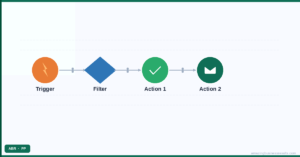
Automation handles rule-based tasks: if this happens, do that. AI handles pattern-based decisions: given this data, here’s the most likely right answer. The most powerful business systems combine both — automation handles the routine triggers, AI makes the smarter decisions at key points. Both are available in Zoho’s platform and worth exploring together.
{"@context":"https://schema.org","@type":"FAQPage","mainEntity":[{"@type":"Question","name":"How much does AI cost for a small business?","acceptedAnswer":{"@type":"Answer","text":"Many of the highest-value AI tools for small businesses are either free or very low cost. ChatGPT’s free tier, Google’s Gemini in Workspace, and Microsoft Copilot in Microsoft 365 are accessible at minimal additional expense. For AI within your CRM — like Zoho’s Zia — the features are included in your existing subscription at the Enterprise tier. The more significant investment is typically the time to configure tools properly and train your team, rather than the software cost."}},{"@type":"Question","name":"Will AI replace jobs in my small business?","acceptedAnswer":{"@type":"Answer","text":"For small businesses, AI handles specific tasks rather than entire roles. A sales rep who spends two hours a day on email drafting and data entry gains two extra hours for calls and relationship-building. The role expands into higher-value work."}},{"@type":"Question","name":"Where should I start if I have no AI tools right now?","acceptedAnswer":{"@type":"Answer","text":"Start with whatever consumes the most time in your week that produces a consistent, repeatable type of output. For most small businesses, that’s email communication — which means trying an AI writing assistant for one week costs nothing and the ROI is immediately visible. From there, look at what’s in your existing software subscriptions before buying new tools."}},{"@type":"Question","name":"What’s the difference between AI and automation?","acceptedAnswer":{"@type":"Answer","text":"Automation handles rule-based tasks: if this happens, do that. AI handles pattern-based decisions: given this data, here’s the most likely right answer. The most powerful business systems combine both — automation handles the routine triggers, AI makes the smarter decisions at key points. Both are available in Zoho’s platform and worth exploring together."}}]}