Zoho Sprints
Agile Tracking with Zoho Sprints
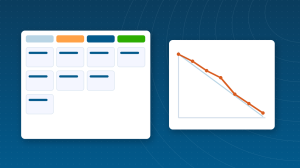
How to run agile sprints in Zoho Sprints: backlog and epics, sprint planning, scrum boards, meetings, burndown and velocity charts, and releases.
Zoho Projects suits work with a start, an end and a Gantt chart. Plenty of teams do not work that way: software developers, product teams, agencies running continuous improvement and in-house teams shipping something every two weeks. For them Zoho built Sprints, an agile tool with backlogs, scrum boards, sprint planning and the reports agile teams expect, inside the same Zoho One ecosystem as Zoho Projects and Zoho Cliq. This hub explains what Sprints does, what it costs, when to choose it over Projects, and how to run a first sprint. It is part of our Team Collaboration & Projects cluster.
| Your work looks like | Use |
|---|---|
| Fixed scope, dates and dependencies, such as an implementation or a build | Zoho Projects |
| Continuous delivery in iterations, with a backlog that keeps changing | Zoho Sprints |
| Client-facing projects billed by milestone | Zoho Projects |
| A product or software team shipping every one to four weeks | Zoho Sprints |
| Both kinds of work in one company | Both; they share users and integrate with Cliq and Desk |
The two tools are not competitors. Many Zoho One customers run delivery projects in Zoho Projects and the product roadmap in Sprints.
| Plan | Price (per user, per month, billed annually) | Highlights |
|---|---|---|
| Free | $0 | Up to 3 users, 3 projects, core scrum board |
| Starter | $1 | Up to 50 users, 50 projects, epics, timesheets, 5 templates |
| Elite | $3 | Unlimited users and projects, custom workflows, portals, custom roles |
| Premier | ~$5 to $6 | More storage and templates, advanced reporting |
| Enterprise | ~$8 to $9 | Enterprise controls and the highest limits |
Sprints is included in Zoho One, so Zoho One customers can switch it on at no extra cost. Prices vary by region and the upper tiers have moved during 2026, so confirm on the official pricing page before buying.
Most small teams that adopt Sprints are not coming from Jira; they are coming from a spreadsheet, a chat thread or nothing at all. The tool is the easy part. What makes the first month work is three habits: a backlog that only the product owner reorders, a sprint goal written in one sentence before planning starts, and a review where the team shows what shipped rather than what is in progress. Set those up on day one and the reports become useful by sprint three.
| Report | What it tells you |
|---|---|
| Burndown | Whether the sprint is on track day by day |
| Velocity | How much the team reliably completes per sprint, for planning |
| Cumulative flow | Where work piles up, such as review bottlenecks |
| Status timeline | How long items sit in each status |
| Timesheet reports | Effort by person, project and work item |
Sprints includes timesheets and global timers, which matter for agencies billing retainers and for teams that need effort data for planning. The trick is to make logging frictionless: timers on the work item, weekly approval rather than daily, and reports that the team sees too, so time tracking reads as planning data rather than surveillance. Teams that treat it that way keep logging; teams that use it to police people stop within a month.
When a second and third team arrive, epics become the unit of planning across teams, custom roles separate who can edit the backlog from who can move cards, and project templates keep each new team starting from the same board, statuses and sprint length. The Elite plan unlocks the custom roles and workflows this needs, which is usually the point at which a growing team moves up from Starter.
Against Jira, Sprints wins on price and simplicity: a Starter seat costs a fraction of a Jira seat and the setup takes an afternoon rather than a consultant. Jira wins on depth for large engineering organisations with complex permission schemes and marketplace add-ons. Against Trello, Sprints adds real agile structure, epics, velocity and timesheets, that Trello’s boards leave to power-ups. For a Zoho One customer the comparison is simpler still, because Sprints is already paid for.
| Team | Why it fits |
|---|---|
| Software and product teams | Scrum, epics, velocity and code-host integrations |
| Agencies with retainers | Continuous backlog per client, portals for visibility |
| Internal ops and marketing teams | Kanban-style boards with WIP limits for recurring work |
| Zoho One customers | Included in the bundle; one login beside Projects, Cliq and Desk |
Short answers, drawn from the guide above.
Zoho Sprints is Zoho’s agile project management tool, with backlogs, scrum boards, sprint planning, burndown and velocity reports, timesheets and client portals, built for teams that work in iterations.
Yes, for up to 3 users and 3 projects. Paid plans start at $1 per user per month billed annually, and Sprints is included in Zoho One.
Projects suits date-driven work with dependencies and Gantt charts. Sprints suits iterative work with a changing backlog. Many teams use both.
Yes. Sprints links to GitHub, GitLab and Bitbucket so commits and pull requests connect to work items, and to Zoho Cliq, Desk, Flow and Forms.
Yes, through client portals on the Elite plan and above, which show external stakeholders only what you choose to share.
Most teams start with two weeks. Shorter sprints suit fast-changing work; longer ones suit teams with heavy review cycles.
Demos and tutorials picked for this section. Subscribe to the ABR channel for more.
Every article filed under this category, newest first.
How to run agile sprints in Zoho Sprints: backlog and epics, sprint planning, scrum boards, meetings, burndown and velocity charts, and releases.
We configure Zoho apps around how your business actually runs, connect them to the rest of your stack and train your team. ABR is a Zoho Premium Partner with 2,000+ completed projects over 12 years.
Guides, tools and training from the most reviewed Zoho Partner in the world.
Start your free Zoho One trial, no credit card required: USA | Canada | Europe