Zoho Flow
Automating Workflows Between Zoho Apps with Zoho Flow
Twelve ready-to-build Zoho Flow automations for sales, finance, operations, support and HR, with triggers, steps, design tips and a build order.
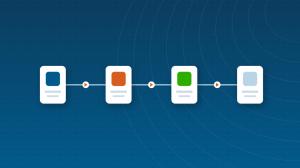
Zoho Flow is Zoho’s integration and automation platform. It connects Zoho apps with each other and with hundreds of third-party apps, so data moves automatically: a new order creates an invoice, a form submission creates a CRM lead and a Slack message, a signed contract kicks off a project. You build flows visually with triggers, actions and logic, and add Deluge scripts when you need more.
This guide covers what Zoho Flow does, what it costs and how to build reliable flows. It sits in the Development & Automation section of our Zoho One ecosystem guide.
| Building block | What it does | Example |
|---|---|---|
| Trigger | Starts the flow when something happens | New row in a sheet, new order, form submitted |
| Action | Does something in an app | Create a CRM lead, send an email, post a message |
| Decision | Branches based on conditions | If order value is over $1,000, notify sales |
| Delay | Waits before the next step | Wait two days, then send a follow-up |
| Custom function | Runs Deluge for custom logic | Calculate a discount or call an external API |
Zoho Flow connects to more than 900 apps, including Zoho CRM, Books, Desk, Projects, Forms and Campaigns, plus popular tools such as Google Workspace, Microsoft 365, Slack, Shopify, Stripe, Mailchimp and many more. Webhooks and API calls cover apps without a ready-made connector.
Start with the flow that removes the most copying and pasting each week. Quick wins build confidence and show the team what automation can do.
Our Zoho Flow integration guide walks through building integrations step by step.
| Plan | Price (per organization, per month) | Highlights |
|---|---|---|
| Free | $0 | 5 flows, 100 tasks per month |
| Standard | About $29 (annual billing) | More flows and task tiers from 5,000 per month |
| Professional | About $49 (annual billing) | Advanced features and higher task tiers |
| Enterprise | Custom | Large volumes and enterprise needs |
Zoho raised Flow’s prices in 2026 from the long-standing $10 and $24 levels, and plans are task-metered, so you choose a task allowance within each plan. Because Flow is priced per organization, a 20-person team pays the same as a 2-person team. Flow is included in Zoho One. Check the current Zoho Flow pricing page.
| In-app workflow rules | Zoho Flow | Zapier | |
|---|---|---|---|
| Scope | Inside one Zoho app | Across Zoho and third-party apps | Across thousands of apps |
| Pricing | Included in the app | Per organization; included in Zoho One | Per account by task volume |
| Zoho depth | Native | Native Zoho connectors and Deluge | Good, through connectors |
| Best for | Simple single-app automation | Zoho-centric businesses | Very broad third-party needs |
Read our full comparison of Zoho Flow vs Zapier.
When a flow needs logic that standard actions cannot handle, such as calculating a discount, reformatting data or calling an external API, add a custom function written in Deluge. Our Deluge cheat sheet covers the syntax you need most often. Keep functions small and focused, and document what each one does.
Zoho Flow plans are metered by tasks, so estimate before you choose. Count how many times each flow will run per month and how many actions each run performs, then add a margin for growth. A flow that runs on every new order with three actions uses three tasks per order, so 1,000 orders a month means about 3,000 tasks.
Flow history shows each run, its inputs and outputs, and any errors. Flows that fail repeatedly can pause automatically, so set up error notifications and review history weekly at first. When fields or processes change in a connected app, update the flows that depend on them.
Each app connection in Zoho Flow uses the permissions of the account that authorized it. Use a dedicated integration account where possible, so flows keep working when an employee leaves, and give it only the access it needs. Review connections periodically and remove any that are no longer used.
Short answers, drawn from the guide above.
Zoho Flow is used to connect Zoho and third-party apps so data moves automatically between them, using triggers, actions, decisions, delays and Deluge custom functions.
Zoho Flow has a free plan with 5 flows and 100 tasks per month. Paid plans are priced per organization and metered by tasks, with recent listings at about $29 for Standard and $49 for Professional per month.
Zoho Flow connects to more than 900 apps, including Zoho apps and popular tools such as Google Workspace, Microsoft 365, Slack and Shopify, plus webhooks for others.
Yes. Zoho Flow is one of the apps included in a Zoho One subscription.
Zoho Flow suits Zoho-centric businesses, with native Zoho connectors, Deluge and per-organization pricing. Zapier suits businesses relying on a very wide range of non-Zoho apps.
Yes. Custom functions written in Deluge let flows handle calculations, data formatting and API calls that standard actions cannot.
Tasks are counted per action a flow performs. A flow with three actions that runs 1,000 times a month uses about 3,000 tasks, so estimate volume before choosing a plan.
Yes. Webhooks and custom API calls let Zoho Flow work with apps that do not have a built-in connector.
Failed runs appear in flow history with details of the error. Flows that fail repeatedly can pause automatically, so set up error notifications and review history regularly.
{"@context":"https://schema.org","@type":"FAQPage","mainEntity":[{"@type":"Question","name":"What is Zoho Flow used for?","acceptedAnswer":{"@type":"Answer","text":"Zoho Flow is used to connect Zoho and third-party apps so data moves automatically between them, using triggers, actions, decisions, delays and Deluge custom functions."}},{"@type":"Question","name":"Is Zoho Flow free?","acceptedAnswer":{"@type":"Answer","text":"Zoho Flow has a free plan with 5 flows and 100 tasks per month. Paid plans are priced per organization and metered by tasks, with recent listings at about $29 for Standard and $49 for Professional per month."}},{"@type":"Question","name":"How many apps does Zoho Flow connect to?","acceptedAnswer":{"@type":"Answer","text":"Zoho Flow connects to more than 900 apps, including Zoho apps and popular tools such as Google Workspace, Microsoft 365, Slack and Shopify, plus webhooks for others."}},{"@type":"Question","name":"Is Zoho Flow included in Zoho One?","acceptedAnswer":{"@type":"Answer","text":"Yes. Zoho Flow is one of the apps included in a Zoho One subscription."}},{"@type":"Question","name":"Should I use Zoho Flow or Zapier?","acceptedAnswer":{"@type":"Answer","text":"Zoho Flow suits Zoho-centric businesses, with native Zoho connectors, Deluge and per-organization pricing. Zapier suits businesses relying on a very wide range of non-Zoho apps."}},{"@type":"Question","name":"Can I use Deluge in Zoho Flow?","acceptedAnswer":{"@type":"Answer","text":"Yes. Custom functions written in Deluge let flows handle calculations, data formatting and API calls that standard actions cannot."}},{"@type":"Question","name":"How are tasks counted in Zoho Flow?","acceptedAnswer":{"@type":"Answer","text":"Tasks are counted per action a flow performs. A flow with three actions that runs 1,000 times a month uses about 3,000 tasks, so estimate volume before choosing a plan."}},{"@type":"Question","name":"Can Zoho Flow connect to apps without a ready-made connector?","acceptedAnswer":{"@type":"Answer","text":"Yes. Webhooks and custom API calls let Zoho Flow work with apps that do not have a built-in connector."}},{"@type":"Question","name":"What happens when a Zoho Flow fails?","acceptedAnswer":{"@type":"Answer","text":"Failed runs appear in flow history with details of the error. Flows that fail repeatedly can pause automatically, so set up error notifications and review history regularly."}}]} Short videos from our YouTube channel, picked for this section.
Every article filed under this category, newest first.
Twelve ready-to-build Zoho Flow automations for sales, finance, operations, support and HR, with triggers, steps, design tips and a build order.
We configure Zoho apps around how your business actually runs, connect them to the rest of your stack and train your team. ABR is a Zoho Premium Partner with 2,000+ completed projects over 12 years.
Guides, tools and training from the most reviewed Zoho Partner in the world.
Start your free Zoho One trial, no credit card required: USA | Canada | Europe