Zoho’s HR apps cover the full employee lifecycle: attracting and hiring candidates, onboarding, records, time off and attendance, performance, payroll and expenses. Because they share employee data, a candidate hired in Zoho Recruit becomes an employee record in Zoho People without retyping, approved time off flows into payroll, and managers see their team’s information in one place.
This guide maps each app to its stage in the lifecycle, shows how they work together and suggests where to start. It is one of the seven business areas in our Zoho One ecosystem guide.
The Apps Across the Employee Lifecycle
| Stage | Zoho app | What it handles |
|---|
| Attract and hire | Zoho Recruit | Job postings, candidate pipeline, interviews, offers |
| Onboard | Zoho People | Onboarding tasks, documents, policies |
| Manage | Zoho People | Employee records, time off, attendance, shifts, performance |
| Pay | Zoho Payroll | Payroll runs, taxes, payslips, in countries where available |
| Reimburse | Zoho Expense | Expense claims, approvals, reimbursement |
| Engage and communicate | Zoho Cliq, Zoho Connect | Team chat, announcements, intranet |
Most businesses start here, because accurate employee records and leave balances are the foundation for everything else, from payroll to performance reviews.
Zoho People: The HR Core
Zoho People holds the employee database and runs time off, holidays, attendance, shifts, forms, onboarding and performance reviews, with an employee self-service portal and mobile app. See our Zoho People guide, and our popular articles on setting up time off, holidays and customizing forms.
Zoho Recruit: Hiring
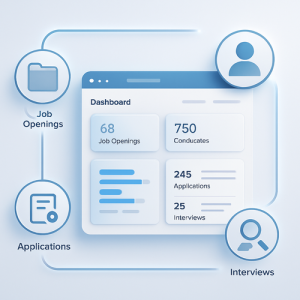
Zoho Recruit is an applicant tracking system for in-house HR teams and staffing agencies: job postings, a candidate pipeline, interview scheduling, assessments and offers. See our Zoho Recruit guide.
Zoho Payroll and Zoho Expense: Pay and Reimbursement
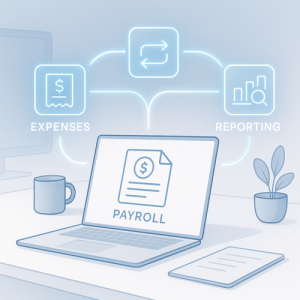
Zoho Payroll runs payroll with tax calculations and payslips in the countries where Zoho offers it, connected to Zoho People and Zoho Books. Zoho Expense handles expense claims and approvals. Read our Zoho Payroll review and our guide to automating expense reports.
How the Apps Work Together
- A candidate is hired in Zoho Recruit, and their details move to Zoho People as a new employee.
- Onboarding tasks, documents and policy acknowledgements are completed in Zoho People.
- The employee requests time off and logs attendance in Zoho People, approved by their manager.
- Approved time off and attendance feed payroll, where Zoho Payroll is available.
- Expense claims are approved in Zoho Expense and reimbursed, with accounting in Zoho Books.
Where to Start: A Stack by Company Size
| Company | Start with | Add next |
|---|
| Under 25 employees | Zoho People (time off, records) | Zoho Expense |
| 25 to 200 employees | Zoho People, Zoho Recruit | Zoho Payroll where available, performance reviews |
| Growing fast with frequent hiring | Zoho Recruit, Zoho People | Onboarding workflows, assessments |
| Staffing agency | Zoho Recruit (Staffing Agency edition) | Zoho CRM for client relationships |
| Zoho HR apps | Separate tools (for example BambooHR plus an ATS) |
|---|
| Cost | Low per-employee pricing; included in Zoho One | Higher per-employee pricing and add-ons |
| Employee data | Shared across People, Recruit, Payroll and Expense | Synced through integrations |
| Connection to finance | Native link to Zoho Books | Through connectors |
| Polish and depth | Broad and highly customizable | Some specialist tools are more polished in one area |
For a direct comparison, read Zoho People vs BambooHR.
What It Costs
Zoho People starts at about $1.25 per employee per month billed annually, with a free plan for very small teams. Zoho Recruit has a free plan and paid plans from $25 per recruiter per month billed annually. All of these apps are included in Zoho One, which suits businesses using several Zoho apps. Check Zoho’s pricing pages for your region and plan.
Setting Up These Apps: Decisions That Matter Most
- Agree your leave types, holiday lists and approval rules before configuring Zoho People.
- Decide which employee fields HR needs, and which employees can see or edit.
- Set up Zoho Recruit’s hiring stages to match how you actually interview.
- Connect Recruit to People so new hires move across automatically.
- Check which Payroll options apply in your country before planning the pay process.
- Roll out self-service to employees with a short guide and the mobile app.
Employee Self-Service
Self-service is where much of the time saving comes from. Employees update their own details, request time off, check balances, download documents and complete forms from the web or mobile app, and managers approve requests in a tap. HR stops being the middle person for routine questions and can focus on hiring, development and policy.
Compliance and Data Security
HR data is sensitive. Zoho’s HR apps support role-based access, so managers see only their team and HR sees what it needs, with audit trails of changes. Store contracts and identification documents in Zoho People with restricted access, and agree retention periods with your legal adviser for each type of record.
How Long Setup Takes
A small company can be running Zoho People for records and time off within a couple of weeks, once leave policies and holiday calendars are agreed. Adding Recruit, attendance, performance or payroll often takes several more weeks, mostly for decisions and data preparation, not configuration.
- Time to hire and cost per hire, from Zoho Recruit.
- Leave balances and absence trends, from Zoho People.
- Onboarding completion rates for new starters.
- Employee turnover by team and tenure.
Rolling Out HR Apps to Employees
- Announce the change and the date from which requests go through Zoho People.
- Share a one-page guide for requesting time off, checking in and updating details.
- Train managers on approvals first, so requests do not stall.
- Stop accepting email or paper requests after the go-live date.
Common Mistakes
- Configuring leave policies before HR has agreed them, then correcting balances later.
- Keeping employee records in spreadsheets alongside Zoho People.
- Not connecting Recruit to People, so new hires are retyped.
- Rolling out self-service without telling employees how to use it.
HR & People Management Guides
Questions People Ask About HR & People Management in Zoho One
Short answers, drawn from the guide above.
Which HR apps does Zoho offer?
Zoho’s HR apps include Zoho People for HR records, time off, attendance and performance, Zoho Recruit for hiring, Zoho Payroll in selected countries and Zoho Expense for expense claims.
Are Zoho's HR apps included in Zoho One?
Yes. Zoho One includes Zoho People, Zoho Recruit, Zoho Expense and, where available, Zoho Payroll, along with Zoho’s sales, finance and collaboration apps.
Do Zoho People and Zoho Recruit work together?
Yes. Candidates hired in Zoho Recruit can move into Zoho People as new employees, so their details do not need to be entered again.
Which Zoho HR app should I start with?
Most businesses start with Zoho People for employee records and time off, then add Zoho Recruit when hiring becomes regular. Staffing agencies start with Zoho Recruit’s Staffing Agency edition.
Is Zoho Payroll available in my country?
Zoho Payroll is available in selected countries. Check Zoho’s site for your region; elsewhere, Zoho People and Zoho Books can connect to other payroll providers.
Can employees use Zoho HR apps on their phones?
Yes. Zoho People and Zoho Recruit have mobile apps, so employees can request time off and check in, and managers and recruiters can approve requests and review candidates on the go.
How much do Zoho's HR apps cost?
Zoho People starts at about $1.25 per employee per month billed annually, with a free plan for very small teams, and Zoho Recruit has a free plan and paid plans from $25 per recruiter per month. All are included in Zoho One.
Can Zoho's HR apps replace BambooHR?
For many small and mid-sized businesses, yes. Zoho People covers HR records, time off, attendance and performance at a lower cost, with Zoho Recruit for hiring. BambooHR remains strong for its interface and US payroll and benefits add-ons.
{"@context":"https://schema.org","@type":"FAQPage","mainEntity":[{"@type":"Question","name":"Which HR apps does Zoho offer?","acceptedAnswer":{"@type":"Answer","text":"Zoho's HR apps include Zoho People for HR records, time off, attendance and performance, Zoho Recruit for hiring, Zoho Payroll in selected countries and Zoho Expense for expense claims."}},{"@type":"Question","name":"Are Zoho's HR apps included in Zoho One?","acceptedAnswer":{"@type":"Answer","text":"Yes. Zoho One includes Zoho People, Zoho Recruit, Zoho Expense and, where available, Zoho Payroll, along with Zoho's sales, finance and collaboration apps."}},{"@type":"Question","name":"Do Zoho People and Zoho Recruit work together?","acceptedAnswer":{"@type":"Answer","text":"Yes. Candidates hired in Zoho Recruit can move into Zoho People as new employees, so their details do not need to be entered again."}},{"@type":"Question","name":"Which Zoho HR app should I start with?","acceptedAnswer":{"@type":"Answer","text":"Most businesses start with Zoho People for employee records and time off, then add Zoho Recruit when hiring becomes regular. Staffing agencies start with Zoho Recruit's Staffing Agency edition."}},{"@type":"Question","name":"Is Zoho Payroll available in my country?","acceptedAnswer":{"@type":"Answer","text":"Zoho Payroll is available in selected countries. Check Zoho's site for your region; elsewhere, Zoho People and Zoho Books can connect to other payroll providers."}},{"@type":"Question","name":"Can employees use Zoho HR apps on their phones?","acceptedAnswer":{"@type":"Answer","text":"Yes. Zoho People and Zoho Recruit have mobile apps, so employees can request time off and check in, and managers and recruiters can approve requests and review candidates on the go."}},{"@type":"Question","name":"How much do Zoho's HR apps cost?","acceptedAnswer":{"@type":"Answer","text":"Zoho People starts at about $1.25 per employee per month billed annually, with a free plan for very small teams, and Zoho Recruit has a free plan and paid plans from $25 per recruiter per month. All are included in Zoho One."}},{"@type":"Question","name":"Can Zoho's HR apps replace BambooHR?","acceptedAnswer":{"@type":"Answer","text":"For many small and mid-sized businesses, yes. Zoho People covers HR records, time off, attendance and performance at a lower cost, with Zoho Recruit for hiring. BambooHR remains strong for its interface and US payroll and benefits add-ons."}}]}