Zoho People is Zoho’s HR management system. It holds employee records and runs time off, holidays, attendance, shifts, onboarding, custom forms, approval workflows and performance reviews, with a self-service portal and mobile app for employees. It connects to Zoho Recruit for new hires and to payroll and accounting, so HR data flows where it is needed.
This guide covers what Zoho People does, what each plan costs and the setup decisions that matter most. It sits in the HR & People Management section of our Zoho One ecosystem guide.
What Zoho People Does
Employee records
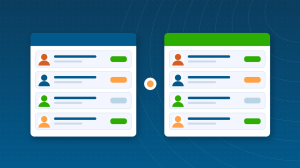
A central employee database with personal, job and document details, organized by department, location and reporting line.
Time off and holidays
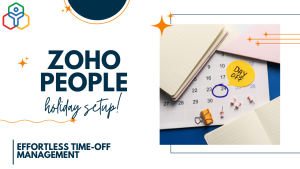
Leave types, accrual and carry-forward rules, approval workflows and holiday calendars by location. See our guides to setting up time off in Zoho People and holidays in Zoho People.
Attendance and shifts
Check-in and check-out from web or mobile, shift schedules, overtime rules and attendance reports.
Custom forms and workflows
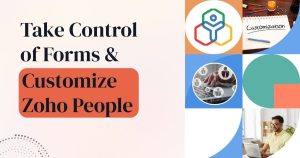
Create forms for any HR process, such as equipment requests or travel approvals, with approvals and automation. See customizing forms in Zoho People.
Onboarding and offboarding
Checklists, documents and policy acknowledgements for new starters, and structured exit steps for leavers.
Performance and self-service
Goals, reviews and feedback, plus a self-service portal and mobile app where employees update details, request time off and view payslips or documents.
Time Off Done Right
Time off is usually the first thing employees use, so it pays to get it right. Define each leave type with its accrual, carry-forward and approval rules, assign it by location or employee type, and check a few balances after import. Our step-by-step guide to setting up time off in Zoho People is our most-read People article for good reason.
How Zoho People Connects to Other Apps
- Zoho Recruit: hired candidates move into Zoho People as new employees.
- Zoho Payroll: time off and attendance feed payroll where Zoho Payroll is available; see our Zoho Payroll review.
- Zoho Expense: employee details and approval hierarchies for expense claims.
- Zoho Books and other payroll providers: payroll and HR data for accounting.
- Zoho Cliq: HR announcements and approval notifications in chat.
Zoho People Pricing
| Plan | Annual billing (per employee, per month) | Monthly billing | Typical fit |
|---|
| Free | $0 | $0 | Very small teams with basic records and time off |
| Essential HR | About $1.25 | About $1.50 | Records, time off, onboarding, documents |
| Professional | About $2 | About $2.50 | Adds attendance, shifts and timesheets |
| Premium | About $3 | About $3.50 | Adds performance, analytics and engagement |
| Enterprise | About $4 | About $5 | Advanced customization and HR help desk |
Paid plans may have a minimum number of employees, and People Plus bundles combine People with Recruit, Payroll and Expense. Zoho People is included in Zoho One. Check the current Zoho People pricing page for your region.
Which Plan Fits Which Company?
| Company | Suggested plan | Why |
|---|
| Very small team, basic needs | Free | Records and time off at no cost |
| Office-based company | Essential HR | Records, time off, onboarding and documents |
| Shift workers or hourly staff | Professional | Attendance, shifts and timesheets |
| Growing company investing in people | Premium | Performance reviews, engagement and analytics |
| Complex organization | Enterprise | Advanced customization and HR help desk |
A Typical Month in Zoho People
- Employees request time off and check in from the app; managers approve.
- New starters complete onboarding tasks and acknowledge policies.
- HR reviews attendance exceptions and leave balances.
- Approved data feeds payroll and reports for management.
Who Gets the Most Value from Zoho People
- Small and mid-sized businesses moving HR off spreadsheets and email.
- Organizations with several locations and different holiday calendars or leave rules.
- Businesses with shift workers who need attendance and scheduling.
- Companies already on Zoho One that want HR connected to the rest of the business.
Setting Up Zoho People: The Decisions That Matter Most
- Agree leave types, accrual rules and carry-forward limits with HR and management first.
- Set up locations and departments, then holiday calendars per location.
- Decide which employee fields are needed and who can view or edit each.
- Build approval workflows that match your reporting lines.
- Import employees with accurate start dates so leave balances calculate correctly.
- Roll out self-service and the mobile app with a short guide for employees and managers.
Popular Zoho People Guides From ABR
Our most-read Zoho People articles help HR teams configure the details: how to set up time off, holidays in Zoho People and customizing forms. Start with time off if you are setting up Zoho People for the first time.
Moving From Spreadsheets or Another HR System
Export employee details, start dates and current leave balances, clean them in a spreadsheet and import them after policies, locations and holiday calendars are configured. Check a few employees’ balances by hand after import. If you are moving from BambooHR, our comparison of Zoho People vs BambooHR includes a switching plan.
How Long Setup Takes
Records and time off can be live within one to two weeks for a small company. Attendance, shifts, custom forms and performance reviews add a few weeks, depending on how many policies and locations you have.
Common Zoho People Mistakes
- Importing employees without correct start dates, so leave balances are wrong.
- One holiday calendar for every location.
- Approval workflows that do not match real reporting lines.
- Too many custom fields that nobody maintains.
- Launching without telling employees how to use self-service.
Security and Access
HR data needs careful access control. Zoho People uses roles and permissions so employees see their own records, managers see their team and HR sees what it needs, with field-level control for sensitive information such as salary or identification documents. Changes are logged, which helps with audits and disputes.
Reports HR Should Review Monthly
- Leave taken and balances by team, to spot burnout or unused leave.
- Attendance exceptions such as late check-ins or missing records.
- Headcount, joiners and leavers by department.
- Onboarding tasks still open for recent starters.
Zoho People Guides
Questions People Ask About Zoho People
Short answers, drawn from the guide above.
What is Zoho People used for?
Zoho People is used for HR management: employee records, time off and holidays, attendance and shifts, onboarding, custom forms and workflows, performance reviews and employee self-service.
Is Zoho People free?
Zoho People has a free plan for very small teams. Paid plans start at about $1.25 per employee per month billed annually, rising for plans with attendance, performance and advanced features.
Does Zoho People have a mobile app?
Yes. Employees can check in, request time off, view documents and update details from the mobile app, and managers can approve requests.
Does Zoho People integrate with payroll?
Yes. Zoho People connects to Zoho Payroll where it is available, and its data can be used with Zoho Books and other payroll providers.
Is Zoho People included in Zoho One?
Yes. Zoho People is one of the apps included in a Zoho One subscription.
Can Zoho People handle different holidays for different locations?
Yes. You can create holiday calendars per location, so each office or region sees its own holidays and leave balances calculate correctly.
Can I build custom HR forms in Zoho People?
Yes. Zoho People lets you create custom forms for HR processes, with fields, permissions, approvals and workflows.
Does Zoho People handle attendance and shifts?
Yes. From the Professional plan, Zoho People includes attendance tracking with check-in and check-out, shift scheduling and timesheets.
How long does it take to set up Zoho People?
Records and time off can be live within one to two weeks for a small company. Attendance, shifts, custom forms and performance add a few weeks, depending on policies and locations.
Can employees see their leave balances in Zoho People?
Yes. Employees can check leave balances, request time off and see the status of requests in the self-service portal and mobile app.
{"@context":"https://schema.org","@type":"FAQPage","mainEntity":[{"@type":"Question","name":"What is Zoho People used for?","acceptedAnswer":{"@type":"Answer","text":"Zoho People is used for HR management: employee records, time off and holidays, attendance and shifts, onboarding, custom forms and workflows, performance reviews and employee self-service."}},{"@type":"Question","name":"Is Zoho People free?","acceptedAnswer":{"@type":"Answer","text":"Zoho People has a free plan for very small teams. Paid plans start at about $1.25 per employee per month billed annually, rising for plans with attendance, performance and advanced features."}},{"@type":"Question","name":"Does Zoho People have a mobile app?","acceptedAnswer":{"@type":"Answer","text":"Yes. Employees can check in, request time off, view documents and update details from the mobile app, and managers can approve requests."}},{"@type":"Question","name":"Does Zoho People integrate with payroll?","acceptedAnswer":{"@type":"Answer","text":"Yes. Zoho People connects to Zoho Payroll where it is available, and its data can be used with Zoho Books and other payroll providers."}},{"@type":"Question","name":"Is Zoho People included in Zoho One?","acceptedAnswer":{"@type":"Answer","text":"Yes. Zoho People is one of the apps included in a Zoho One subscription."}},{"@type":"Question","name":"Can Zoho People handle different holidays for different locations?","acceptedAnswer":{"@type":"Answer","text":"Yes. You can create holiday calendars per location, so each office or region sees its own holidays and leave balances calculate correctly."}},{"@type":"Question","name":"Can I build custom HR forms in Zoho People?","acceptedAnswer":{"@type":"Answer","text":"Yes. Zoho People lets you create custom forms for HR processes, with fields, permissions, approvals and workflows."}},{"@type":"Question","name":"Does Zoho People handle attendance and shifts?","acceptedAnswer":{"@type":"Answer","text":"Yes. From the Professional plan, Zoho People includes attendance tracking with check-in and check-out, shift scheduling and timesheets."}},{"@type":"Question","name":"How long does it take to set up Zoho People?","acceptedAnswer":{"@type":"Answer","text":"Records and time off can be live within one to two weeks for a small company. Attendance, shifts, custom forms and performance add a few weeks, depending on policies and locations."}},{"@type":"Question","name":"Can employees see their leave balances in Zoho People?","acceptedAnswer":{"@type":"Answer","text":"Yes. Employees can check leave balances, request time off and see the status of requests in the self-service portal and mobile app."}}]}