A Zoho CRM SMS extension lets your team send and receive text messages directly from lead, contact, and deal records, with every conversation logged on the record inside Zoho CRM. For Zoho CRM users and administrators, especially small business teams and managers adding texting to their CRM, the practical questions are which phone numbers an extension uses, whether replies come back into Zoho CRM, whether it works with workflow rules for reminders and updates, and how it handles consent and opt-outs so your messaging stays compliant and your team stays organized.
WhatsApp extensions work in a similar way inside the CRM, but they follow WhatsApp’s own rules for business messages, so it helps to compare the two before you decide how to handle customer communication. Amazing Business Results builds Zoho CRM extensions, including SMS extensions, and lists them on our Zoho CRM extensions page. This guide covers what an SMS extension adds to Zoho CRM, common use cases, how SMS compares with WhatsApp, the basics of compliance, how to choose an extension, and how to plan your texting setup whether you use ours or another vendor’s.
What SMS Integration Adds to Zoho CRM
-
Sending a text from a lead, contact or deal record.
-
Two-way conversations, so users can respond and handle customer communication without switching applications.
-
Templates for common messages such as reminders and confirmations.
-
Bulk messages to a filtered list, used carefully.
-
Automated messages triggered by workflow rules, such as an appointment reminder or a deal reaching a stage, where quick replies can help sales teams move deals faster.
This SMS integration turns the extension into a practical customer communication solution: centralized SMS history helps teams track message history alongside other customer interactions and streamlines communication.
Common Uses for Bulk Messaging and Texting From Zoho CRM
-
Appointment reminders sent automatically before a meeting or site visit, with a way to confirm or reschedule.
-
Quote follow-ups when a proposal has been sent and the customer has not replied.
-
Payment reminders for overdue invoices, if your accounting data is connected.
-
Delivery or job updates when an order ships or a technician is on the way.
-
Support updates when a ticket is resolved or needs more information.
-
Quick one-to-one questions that would take longer by phone, since texts are usually read quickly.
Texts work best for short, timely messages tailored with clients information from CRM fields. They are one of the fastest ways to communicate, and that speed often drives stronger engagement because a message is usually read within minutes. Keep longer explanations, documents and contracts in email, and use calls for anything sensitive or complicated.
How WhatsApp Differs from SMS
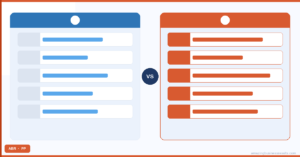
SMS works on any mobile number. WhatsApp business messaging reaches people who use WhatsApp and has its own approval rules for business accounts and for messages your business starts. Many businesses use SMS for reminders and short updates, and WhatsApp where customers already prefer it, especially internationally.
Zoho CRM Compliance Basics
Get clear consent before texting, honor opt-out requests such as “STOP” right away, keep messages useful rather than annoying, and keep a record of who agreed and when. In the US, business texting from local numbers also involves carrier registration; for example, Zoho Voice requires 10DLC registration before a US number can send texts. Rules vary by country, so check them with your advisor before you send bulk messages.
What to Check Before You Install
|
Criterion |
Why it matters |
Question to ask the vendor |
|---|---|---|
|
Where it is listed |
A Zoho Marketplace listing shows it is built for Zoho CRM |
Is it on the Zoho Marketplace, and how often is it updated? |
|
Phone numbers |
Customers should see a number they recognize, and valid mobile phone numbers with country codes are required for sending SMS |
Which phone services and numbers does it work with? |
|
Two-way logging |
Replies must reach the right record |
Are inbound replies logged on the record and who is notified, and can user permissions be configured to control who has access to SMS messaging inside Zoho CRM? |
|
Automation |
Reminders and follow-ups save time |
Can workflow rules send messages, and with which templates? |
|
Consent handling |
Protects you and your customers |
How are opt-ins and opt-outs recorded and enforced? |
|
Support and maintenance |
Messaging is customer-facing |
Who supports it, and what happens when Zoho changes? |
SMS Providers and Extensions for Zoho CRM
An SMS extension needs a phone service behind it. Zoho’s own option is Zoho Voice, which offers an SMS for Zoho CRM extension and supports local two-way texting in the US and Canada. Other extensions connect to providers such as Twilio or RingCentral. ABR’s own SMS extension for Zoho CRM is listed in the RingCentral App Gallery.
To set one up, install the extension from the Zoho Marketplace, connect your provider account and numbers, then personalize templates with client information from CRM fields.
Zoho’s and ABR’s Own Options
Zoho offers SMS through Zoho Voice, which supports local two-way texting in the US and Canada and connects with Zoho CRM. If you already use Zoho Voice, that is a natural place to start.
Not every tool is equal for zoho sms integration, so test any extension with your own numbers and workflows first.
ABR builds SMS extensions for Zoho CRM as well, including our Zoho Voice SMS extension. Whichever extension you consider, run it through the checklist above.
Plan Your Texting Before You Switch It On
Before switching texting on, teams should create a communication approach that defines which messages are manual and which run through workflows, allowing teams to automate sends based on triggers. Write short templates in your brand voice, use CRM fields to create personalized messages with client information, set quiet hours, and choose who owns replies. Start with one use case, such as welcoming new leads or sending appointment reminders, and add more once the team is comfortable so sales, marketing, and support can work efficiently and improve customer engagement and the benefits of SMS over time.
About ABR
Amazing Business Results has worked with Zoho since 2013, has been a Zoho Premium Partner for 9 years and has completed 2,000+ Zoho projects, with 190+ five-star reviews on Zoho and Google. We set up and customize Zoho for small businesses, including phone and SMS. If you also need calling in the CRM, see our guide to Zoho CRM phone integration.
Frequently Asked Questions
How do I choose a Zoho CRM SMS extension?
Check that it is built for Zoho CRM, works with your phone numbers, and that the best Zoho CRM SMS integration centralizes customer communication to streamline interactions, logs replies on the record, supports workflow rules, and handles consent and opt-outs.
Can I send bulk texts from Zoho CRM?
Many extensions support bulk messaging. Some tools can send personalized SMS campaigns to large lists at once, so consent records matter. Only text people who have agreed, keep messages short and relevant, and make opting out easy.
What is the difference between SMS and WhatsApp in Zoho CRM?
SMS reaches any mobile number. WhatsApp reaches people on WhatsApp and follows its own rules for business messaging. Both can be logged on the customer record with the right extension.
Will an SMS extension replace my phone system?
No. It adds texting to Zoho CRM. Calling is handled by your phone system and its own integration.
Do I need a partner to set it up?
You can get started yourself with a basic extension. A partner helps when you need to choose a provider, configure workflows, and build an automated message process for sales, marketing, and support teams, along with templates and consent tracking designed around your process.
{"@context":"https://schema.org","@type":"FAQPage","mainEntity":[{"@type":"Question","name":"How do I choose a Zoho CRM SMS extension?","acceptedAnswer":{"@type":"Answer","text":"Check that it is built for Zoho CRM, works with your phone numbers, and that the best Zoho CRM SMS integration centralizes customer communication to streamline interactions, logs replies on the record, supports workflow rules, and handles consent and opt-outs."}},{"@type":"Question","name":"Can I send bulk texts from Zoho CRM?","acceptedAnswer":{"@type":"Answer","text":"Many extensions support bulk messaging. Some tools can send personalized SMS campaigns to large lists at once, so consent records matter. Only text people who have agreed, keep messages short and relevant, and make opting out easy."}},{"@type":"Question","name":"What is the difference between SMS and WhatsApp in Zoho CRM?","acceptedAnswer":{"@type":"Answer","text":"SMS reaches any mobile number. WhatsApp reaches people on WhatsApp and follows its own rules for business messaging. Both can be logged on the customer record with the right extension."}},{"@type":"Question","name":"Will an SMS extension replace my phone system?","acceptedAnswer":{"@type":"Answer","text":"No. It adds texting to Zoho CRM. Calling is handled by your phone system and its own integration."}},{"@type":"Question","name":"Do I need a partner to set it up?","acceptedAnswer":{"@type":"Answer","text":"You can get started yourself with a basic extension. A partner helps when you need to choose a provider, configure workflows, and build an automated message process for sales, marketing, and support teams, along with templates and consent tracking designed around your process."}}]}