Your Zoho CRM holds your most sensitive data, and in regulated industries some of it is personal data protected by law. Security configuration is an ongoing responsibility: the right access controls, encryption, monitoring and compliance processes, built in from the start and reviewed as the team changes. This part of our Zoho CRM guide covers every layer.
Access Control: Who Can See What
| Layer | What it controls | Example |
|---|
| Profiles | What a user can do: modules, create, edit, delete, export, settings | Reps can edit deals but not export contacts |
| Roles | The hierarchy and record visibility | A manager sees the team’s records; a rep sees their own |
| Data sharing rules | Exceptions beyond the hierarchy | Key account team sees enterprise accounts outside their branch |
The setup walkthrough is in Zoho CRM user permissions. With more than five users, tighten the default sharing, which lets everyone see everything, before go-live.
Field-Level Security and Encryption
Field-level security controls which profiles can view or edit specific fields, such as deal margins, identification numbers or health information. Enterprise and Ultimate add field-level encryption on top of Zoho’s standard encryption at rest, so the most sensitive fields are decrypted only for permitted profiles.
Locking Records
Once a deal is won or a contract is signed, its terms should not drift. Record locking stops edits after a stage or condition, with exceptions for named profiles; see how to lock records in Zoho CRM, with Lior’s video walkthrough.
Login Security
- Two-factor authentication for every user, which ABR recommends on every deployment.
- IP restrictions so the CRM is reachable only from approved networks.
- Single sign-on through SAML for businesses with an identity provider.
- Session timeouts for inactive users.
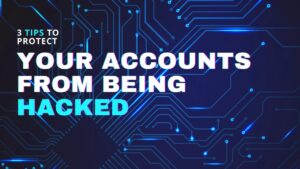
- Account basics for the whole team: three tips to protect your accounts.
Audit Logs and Monitoring
The audit log records record changes, deletions, exports, logins and settings changes, serving compliance evidence, investigations and oversight. It is on Enterprise and Ultimate and can be exported; see the Zoho CRM audit log guide.
GDPR and Privacy
The GDPR module tracks consent per contact, handles data subject access requests and anonymises records for right-to-be-forgotten requests, keeping reports intact. For UK and EU customers it is a legal requirement; see Zoho CRM GDPR compliance. Healthcare practices also need HIPAA-aligned settings, covered in the healthcare guides.
Migration Security
Migration is the riskiest moment: data is exported, transformed and moved, often by several people. Use encrypted transfer, restrict access to working files, validate after import and delete temporary files when done. The full process is in the Zoho CRM data migration guide.
A Quarterly Security Review
- Remove leavers and check no shared logins exist.
- Review profiles with export rights.
- Read the audit log for unusual exports and deletions.
- Confirm two-factor authentication is enforced.
- Check sharing rules still match the team structure.
Pricing checked October 2026. These are Zoho’s published rates at the time of writing. They change over time, vary by region and currency, and may differ inside Zoho One, so confirm the current figures on the official pricing page linked above before you decide.
Common Mistakes
- Everyone on the Administrator profile.
- Default sharing left open as the team grows.
- No two-factor authentication.
- Export rights for every user.
Questions People Ask About Security & Compliance
Short answers, drawn from the guide above.
How does Zoho CRM control access?
Through profiles (what users can do), roles (whose records they see) and data sharing rules (exceptions beyond the hierarchy), plus field-level security.
Does Zoho CRM support GDPR?
Yes, with consent tracking, data subject requests and anonymisation for right-to-be-forgotten requests.
Which editions include the audit log and field encryption?
Enterprise and Ultimate.
Can I restrict Zoho CRM to my office network?
Yes, with IP restrictions, combined with two-factor authentication and SSO.
How do I stop won deals being edited?
Lock records after a stage or condition, with exceptions for named profiles.
How often should CRM security be reviewed?
Quarterly at minimum, and whenever someone leaves or the team structure changes.
{"@context":"https://schema.org","@type":"FAQPage","mainEntity":[{"@type":"Question","name":"How does Zoho CRM control access?","acceptedAnswer":{"@type":"Answer","text":"Through profiles (what users can do), roles (whose records they see) and data sharing rules (exceptions beyond the hierarchy), plus field-level security."}},{"@type":"Question","name":"Does Zoho CRM support GDPR?","acceptedAnswer":{"@type":"Answer","text":"Yes, with consent tracking, data subject requests and anonymisation for right-to-be-forgotten requests."}},{"@type":"Question","name":"Which editions include the audit log and field encryption?","acceptedAnswer":{"@type":"Answer","text":"Enterprise and Ultimate."}},{"@type":"Question","name":"Can I restrict Zoho CRM to my office network?","acceptedAnswer":{"@type":"Answer","text":"Yes, with IP restrictions, combined with two-factor authentication and SSO."}},{"@type":"Question","name":"How do I stop won deals being edited?","acceptedAnswer":{"@type":"Answer","text":"Lock records after a stage or condition, with exceptions for named profiles."}},{"@type":"Question","name":"How often should CRM security be reviewed?","acceptedAnswer":{"@type":"Answer","text":"Quarterly at minimum, and whenever someone leaves or the team structure changes."}}]}