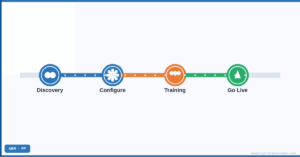
A new Zoho CRM fails for predictable reasons: too much configuration before anyone uses it, data imported before the structure is right, or no training. This part of our Zoho CRM guide covers the order that works and the guides for each step. For the plain-language basics, start with Zoho CRM for beginners or the complete getting started guide.
The Setup Sequence
- Agree the sales process and lead definition with the people who sell.
- Set company settings: fiscal year, currency, business hours, time zone.
- Build the minimum modules, fields and pipeline stages.
- Connect email and calendar for every user.
- Clean and import data, accounts first, then contacts, then deals.
- Create roles and profiles, then add users.
- Add three automations: new-lead alert, follow-up safety net, won-deal handoff.
- Train by role, then go live and review after two weeks.
The Minimum Viable Setup
Launch with less than you think: the standard modules, a pipeline that matches reality, the fields reports need, email connected and the three automations. Everything else is added once people use it. The full list is in minimum viable Zoho CRM setup.
Planning Before Building
For anything beyond a small team, an architecture session maps the process, data model and integrations before configuration starts, and a technical validation checks the build before launch. See the Zoho CRM architecture session and technical validation.
Guides for Week One
Which Edition to Start On
| Edition | Start here if |
|---|
| Free (3 users) | You are testing the basics with a tiny team |
| Standard | One pipeline, simple automation |
| Professional | You need Blueprint, cadences or Zia scoring |
| Enterprise | Custom modules at scale, Canvas or a sandbox |
Current prices are in the Zoho CRM pricing guide.
Pricing checked October 2026. These are Zoho’s published rates at the time of writing. They change over time, vary by region and currency, and may differ inside Zoho One, so confirm the current figures on the official pricing page linked above before you decide.
Before Go-Live
- A test record has gone through the whole pipeline with every automation firing.
- Every user can log in, send email from the CRM and see the right records.
- Reports answer the three questions management asks weekly.
- Old systems are read-only so nobody keeps working there.
Common Mistakes
- Importing messy data and configuring around it.
- Building for every edge case before launch.
- Skipping training because the CRM seems intuitive.
- No owner for the CRM after go-live.
Questions People Ask About CRM Setup & Getting Started
Short answers, drawn from the guide above.
How long does it take to set up Zoho CRM?
A small team can be live in days with a minimum viable setup; larger implementations take weeks, set by the architecture session.
What should I set up first in Zoho CRM?
The sales process and company settings, then modules and pipeline, then email, data, users and three automations.
Should I import data before configuring?
No. Build the structure first, then import clean data in the right order.
Is there a free edition?
Yes, for up to three users with core features.
Do I need a partner to set up Zoho CRM?
Not for a simple setup; for multiple teams, integrations or migration, a partner saves time and rework.
What is the minimum viable setup?
Standard modules, a real pipeline, report fields, connected email and three automations, with everything else added later.
{"@context":"https://schema.org","@type":"FAQPage","mainEntity":[{"@type":"Question","name":"How long does it take to set up Zoho CRM?","acceptedAnswer":{"@type":"Answer","text":"A small team can be live in days with a minimum viable setup; larger implementations take weeks, set by the architecture session."}},{"@type":"Question","name":"What should I set up first in Zoho CRM?","acceptedAnswer":{"@type":"Answer","text":"The sales process and company settings, then modules and pipeline, then email, data, users and three automations."}},{"@type":"Question","name":"Should I import data before configuring?","acceptedAnswer":{"@type":"Answer","text":"No. Build the structure first, then import clean data in the right order."}},{"@type":"Question","name":"Is there a free edition?","acceptedAnswer":{"@type":"Answer","text":"Yes, for up to three users with core features."}},{"@type":"Question","name":"Do I need a partner to set up Zoho CRM?","acceptedAnswer":{"@type":"Answer","text":"Not for a simple setup; for multiple teams, integrations or migration, a partner saves time and rework."}},{"@type":"Question","name":"What is the minimum viable setup?","acceptedAnswer":{"@type":"Answer","text":"Standard modules, a real pipeline, report fields, connected email and three automations, with everything else added later."}}]}