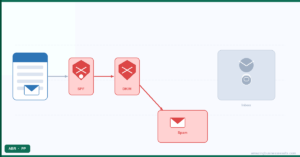
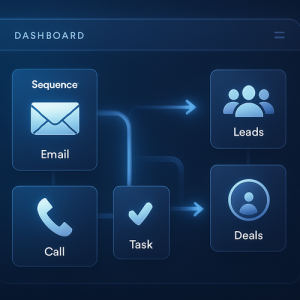
Most leads need several touches before they respond, and most salespeople give up after one or two. Cadences fix that by planning the follow-up in advance: an email on day one, a call task on day three, a different email on day seven, and so on, with the sequence pausing the moment the lead replies. This part of Advanced Automation & AI covers how to build them well.
How a Cadence Works
- Enrolment: records join manually, from a list view, or automatically when they meet criteria.
- Steps: emails, call tasks and general tasks, each on a set day.
- Engagement rules: what happens if an email is opened, clicked or ignored.
- Exit rules: a reply, a meeting booked, a stage change or an unsubscribe ends the cadence.
- Reporting: which steps get responses and where people drop out.
Designing a Cadence That Converts
- Start from the outcome: a booked call, a reply, a signed proposal.
- Five to eight steps over two to three weeks; mix email with calls.
- Each email adds something new: a case study, a question, a useful link.
- Exit on any reply, so nobody gets a template after answering.
- Measure response by step and rewrite the weakest one each month.
The setup walkthrough is in mastering cadences in Zoho CRM, and the strategy behind it in CRM cadences and lead nurturing.
Cadences, Campaigns or Marketing Automation?
| Need | Tool |
|---|
| One-to-one sales follow-up from the rep’s mailbox | Zoho CRM cadences |
| Newsletters and promotions to a list | Zoho Campaigns |
| Long nurture journeys across email, web and ads | Zoho Marketing Automation |
| A single alert or task on an event | A workflow rule |
Sending marketing content through a sales cadence hurts deliverability and annoys leads; keep each tool to its job. See email sequence automation for sales teams for the boundary in practice.
Example: A New-Lead Cadence
| Day | Step |
|---|
| 0 | Personal email with one question about their need |
| 1 | Call task for the owner |
| 3 | Email with a short client story in their industry |
| 5 | Call task, with a voicemail script |
| 8 | Email offering a booking link |
| 12 | Final email: closing the loop, door left open |
Availability
Cadences are available on Professional, Enterprise and Ultimate, with limits on active cadences and enrolled records that rise by edition, and in Zoho One.
Pricing checked October 2026. These are Zoho’s published rates at the time of writing. They change over time, vary by region and currency, and may differ inside Zoho One, so confirm the current figures on the official pricing page linked above before you decide.
Common Mistakes
- No exit on reply, so people get templates after answering.
- Ten emails and no calls.
- The same message reworded five times.
- Enrolling cold lists that belong in Zoho Campaigns.
Questions People Ask About Cadences & Sequences
Short answers, drawn from the guide above.
What is a cadence in Zoho CRM?
A planned sequence of emails, calls and tasks over days or weeks that adapts to engagement and stops when the lead replies.
Which Zoho CRM editions include cadences?
Professional, Enterprise and Ultimate, with limits by edition, and Zoho One.
How many steps should a cadence have?
Usually five to eight over two to three weeks, mixing emails and calls.
Do cadences stop when someone replies?
They can and should: set a reply as an exit rule.
Should I use cadences for newsletters?
No. Use Zoho Campaigns for lists and Marketing Automation for long nurture journeys.
Can leads join a cadence automatically?
Yes, records can be enrolled when they meet criteria, such as a new lead from a web form.
{"@context":"https://schema.org","@type":"FAQPage","mainEntity":[{"@type":"Question","name":"What is a cadence in Zoho CRM?","acceptedAnswer":{"@type":"Answer","text":"A planned sequence of emails, calls and tasks over days or weeks that adapts to engagement and stops when the lead replies."}},{"@type":"Question","name":"Which Zoho CRM editions include cadences?","acceptedAnswer":{"@type":"Answer","text":"Professional, Enterprise and Ultimate, with limits by edition, and Zoho One."}},{"@type":"Question","name":"How many steps should a cadence have?","acceptedAnswer":{"@type":"Answer","text":"Usually five to eight over two to three weeks, mixing emails and calls."}},{"@type":"Question","name":"Do cadences stop when someone replies?","acceptedAnswer":{"@type":"Answer","text":"They can and should: set a reply as an exit rule."}},{"@type":"Question","name":"Should I use cadences for newsletters?","acceptedAnswer":{"@type":"Answer","text":"No. Use Zoho Campaigns for lists and Marketing Automation for long nurture journeys."}},{"@type":"Question","name":"Can leads join a cadence automatically?","acceptedAnswer":{"@type":"Answer","text":"Yes, records can be enrolled when they meet criteria, such as a new lead from a web form."}}]}