Why Zoho CRM Emails Go to Spam — And Exactly How to Fix Each Cause
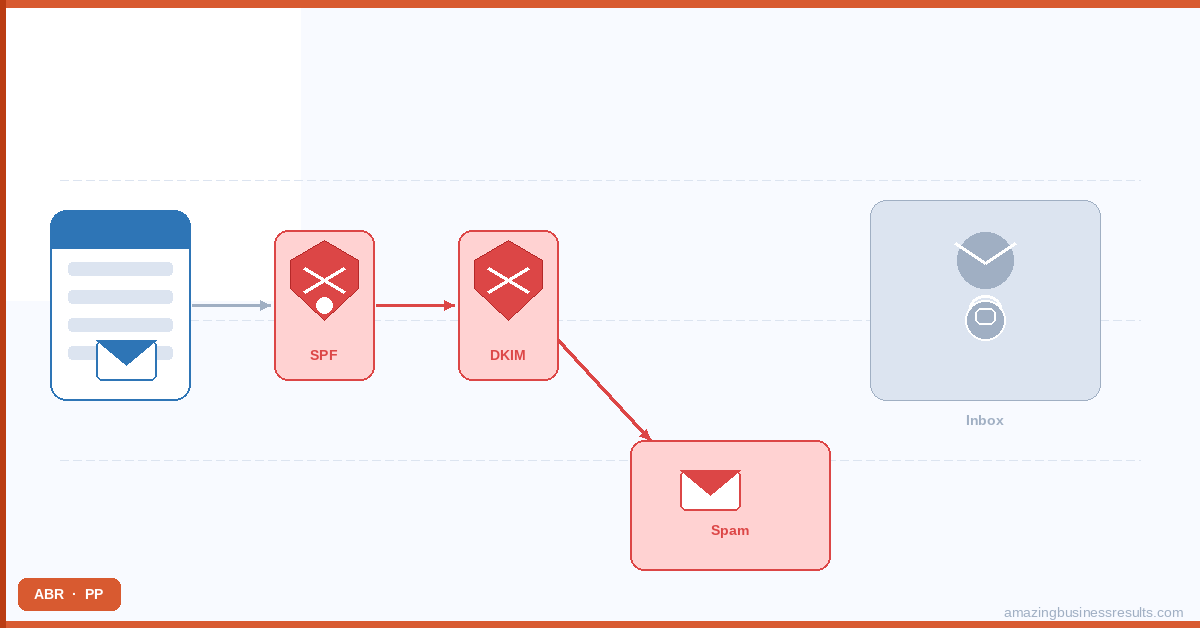
Cause 1: SPF Record Not Configured for Zoho CRM
What SPF is
SPF (Sender Policy Framework) is a DNS TXT record that lists the mail servers authorised to send email from your domain. When Zoho CRM sends an email from your domain, the receiving mail server checks your domain’s SPF record. If Zoho’s mail servers are not listed, the message fails SPF authentication — a major spam signal.
How to diagnose
Go to MXToolbox.com SuperTool enter your domain name select “SPF Record Lookup.” Review the result. Look for Zoho’s IP ranges or include statement in your SPF record. If you see only your standard email provider (e.g. Google or Microsoft) and no Zoho entry, your SPF is incomplete for CRM sending.
How to fix
Add Zoho’s SPF include statement to your domain’s DNS TXT record. Zoho’s current SPF include is: “include:zoho.com” (verify the current value in Zoho’s official email authentication guide — the exact include value may vary by Zoho data centre region). Combine it with your existing SPF record rather than replacing it:
“v=spf1 include:_spf.google.com include:zoho.com ~all“
DNS changes typically propagate within 1-24 hours. Re-test with MXToolbox after propagation to confirm the updated record is resolving correctly.
Cause 2: DKIM Not Enabled for Your Sending Domain
What DKIM is
DKIM (DomainKeys Identified Mail) adds a cryptographic signature to outgoing emails that receiving servers can verify. A valid DKIM signature proves the email was sent by an authorised sender and has not been altered in transit. Most major spam filters now give significantly higher trust to DKIM-signed messages.
How to diagnose
In Zoho CRM: Settings Email Email Configuration select your connected email account look for a DKIM status indicator. If it shows “Not configured” or “Pending,” DKIM signing is not active. You can also use MXToolbox’s DKIM Lookup tool with your sending domain and Zoho’s selector value.
How to fix
In Zoho CRM: Settings Email Email Configuration configure DKIM for your domain. Zoho will provide a DKIM DNS record (a TXT record containing the public key) that you add to your domain’s DNS. After adding the DNS record and allowing propagation, Zoho CRM will sign all outgoing emails with the DKIM signature. This process is well-documented in Zoho’s help centre — search “Zoho CRM DKIM setup” for the current guide specific to your Zoho data centre.
Cause 3: No DMARC Record
What DMARC is
DMARC (Domain-based Message Authentication, Reporting and Conformance) is a DNS record that tells receiving mail servers what to do when SPF or DKIM authentication fails for your domain. It also generates reports back to you about authentication failures — providing visibility into who is sending email from your domain.
Since 2024, Google and Yahoo have required DMARC records for bulk senders. A missing DMARC record now results in bulk mail being rejected or spam-foldered by these providers.
How to fix
Add a DMARC TXT record to your domain’s DNS. A minimum viable DMARC record (monitor-only mode, no enforcement):
“v=DMARC1; p=none; rua=mailto:dmarc-reports@yourdomain.com“
Replace “yourdomain.com” with your actual domain. The “rua” address receives aggregate reports about authentication failures — use a real mailbox you will actually check. Once SPF and DKIM are correctly configured and you have confirmed in the DMARC reports that legitimate mail is passing authentication, upgrade the policy from “none” to “quarantine” (spam-folder failures) and eventually “reject” (block failures) for maximum protection.
Cause 4: High Bounce Rate
Why bounce rate damages deliverability
Every time Zoho CRM sends to an email address that no longer exists (hard bounce), the receiving server logs that your domain sent to an invalid address. Accumulated over time, a high hard bounce rate signals to spam filters that your list is poorly maintained — a characteristic of spammers who use harvested or purchased email lists. Major providers begin penalising deliverability once bounce rates exceed approximately 2%.
How to diagnose
In Zoho CRM: run a report on Email activities filtered by Status = “Hard Bounced.” Count the hard bounces as a percentage of your total sent email volume in the same period. If the percentage exceeds 2%, your bounce rate is contributing to deliverability problems.
How to fix
Suppress all hard-bounced addresses immediately: create a Zoho CRM view of all contacts/leads where Email Opt-Out = true or email status = bounced. Remove these from any active email automation. Optionally, flag them with a custom field value “Email Invalid” for the team to follow up via phone or other channels. Going forward, configure Zoho CRM to automatically suppress hard-bounced addresses — the ABR Email Deliverability Extension handles this automatically.
Cause 5: Volume Spikes
Why sending volume matters
Spam filters learn what is “normal” for a sending domain. A domain that sends 30 emails per day suddenly sending 3,000 looks anomalous — and anomalous behaviour is treated as a spam signal. Volume spikes typically occur when a business imports a large contact list and immediately sends a campaign to all of them.
How to fix
Warm up gradually. If you are scaling from a low sending volume to a high one, increase the daily send count by no more than 20-30% per day. Over two to three weeks, a domain can safely scale from 50 emails/day to 5,000+ emails/day if the warming is gradual and the recipient engagement (opens, clicks, replies) is healthy throughout. Use Zoho CRM’s scheduled sends to control daily volume during the warm-up period.
Cause 6: Content Triggering Spam Filters
Even with perfect authentication and a clean list, certain email content patterns trigger spam filters:
- Subject lines with ALL CAPS, excessive exclamation marks or classic spam trigger words (“FREE,” “GUARANTEED,” “ACT NOW,” “URGENT”).
- Emails with very high image-to-text ratios — a single large image with minimal text is a common spam format.
- Emails with multiple external links pointing to different domains.
- Links to domains with poor reputations (even if the sending domain is clean, linking to a flagged domain can drag the message into spam).
Fix: use spam checking tools like Mail Tester (mail-tester.com) before sending a campaign. Send a test email to the tool’s address and review the full scoring report to identify content-level issues.
The Ongoing Solution: ABR Email Deliverability Extension
Working through this checklist fixes the current problems — but deliverability is not a one-time project. Sender reputation can deteriorate gradually. DNS records can be accidentally modified. Bounce rates creep up as contact databases age. A campaign sent to a purchased list can damage reputation in a single day.
The ABR Email Deliverability Extension monitors all of these factors continuously — alerting you to problems before they cause significant damage rather than after deliverability has already failed. It is the difference between preventing a problem and diagnosing one after the fact.
See also: ABR Email Deliverability Extension | email extensions hub.
Frequently Asked Questions
How do I check if my Zoho CRM SPF record is set up correctly?
Can fixing SPF, DKIM and DMARC stop emails going to spam immediately?
My Zoho CRM emails reach most providers but go to spam in Gmail — why?
Does a high bounce rate affect all future emails from my Zoho CRM?
Can ABR fix our Zoho CRM email deliverability?