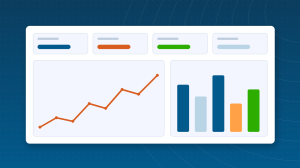
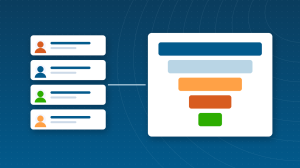
Zoho Analytics is Zoho’s business intelligence platform. It connects to Zoho apps, spreadsheets, databases and hundreds of business applications, lets you combine that data, and turns it into reports and dashboards anyone can explore. Ask Zia, its AI assistant, answers questions in plain language and builds charts on request.
This guide covers what Zoho Analytics does, what it costs and the setup decisions that matter most. It sits in the Business Intelligence & AI section of our Zoho One ecosystem guide.
What Zoho Analytics Does
Connects your data
Prebuilt connectors for Zoho CRM, Books, Desk, Projects, People and other Zoho apps, plus spreadsheets, cloud storage, databases and many third-party apps, sync data on a schedule.
Models and prepares data
Join tables from different sources, create formula columns and query tables, and clean data with built-in data preparation on higher plans.
Builds reports and dashboards
Drag-and-drop charts, pivot tables, KPI widgets and dashboards, with filters and drill-down so viewers can explore.
Answers questions with Ask Zia
Type a question such as revenue by region last quarter, and Zia returns a chart or number, with insights that highlight notable changes.
Shares and embeds
Share dashboards with colleagues, schedule them by email, publish them in other apps or websites, and control who sees which rows with permissions.
Prebuilt Analytics for Zoho Apps
Connectors for Zoho apps include prebuilt reports and dashboards, so you get useful views within minutes of connecting. For example, the Zoho CRM connector provides sales pipeline and performance reports that go beyond CRM’s own; see our guide to CRM sales reporting with Zoho Analytics.
Zoho Analytics Pricing
| Plan | Price (per month, billed annually) | Users | Data rows |
|---|
| Free | $0 | 2 | 10,000 |
| Basic | $30 | 2 | 0.5 million |
| Standard | $60 | 5 | 1 million |
| Premium | $145 | 15 | 5 million, with live database connections |
| Enterprise | $575 | 50 | 50 million, with hourly data sync |
Plans are priced per account, not per user, with extra users and rows available as add-ons. Data sync frequency increases on higher plans. Zoho Analytics is included in Zoho One. Check the current Zoho Analytics pricing page, as Zoho adjusted prices in 2026.
Which Plan Fits?
| Situation | Suggested plan | Why |
|---|
| Trying it out, very small data | Free | 2 users and 10,000 rows |
| Small team, one or two data sources | Basic or Standard | Up to 5 users and 1 million rows |
| Growing business with several sources | Premium | 15 users, 5 million rows, live connections and data preparation |
| Large data volumes or many users | Enterprise | 50 users, 50 million rows and hourly sync |
Count your rows before choosing: every record in every synced table counts, so a CRM with many activities can use rows quickly.
Data Sync and Freshness
Connected sources sync on a schedule, from daily on lower plans to hourly on Enterprise, and Premium and Enterprise can query some databases live. Show the last refresh time on dashboards so viewers know how current the numbers are.
Who Gets the Most Value from Zoho Analytics
- Businesses using several Zoho apps that want one view across them.
- Management teams that need a regular, reliable dashboard instead of spreadsheets.
- Companies combining Zoho data with other systems, such as e-commerce or ad platforms.
- Small and mid-sized teams that want BI without per-user enterprise pricing.
Tableau and Power BI are the best-known alternatives. Zoho Analytics stands out on account-based pricing, native Zoho connectors with prebuilt reports and inclusion in Zoho One. Our Zoho Analytics vs Tableau comparison covers the trade-offs.
Give the workspace an owner from day one. One person who understands the data model, approves new reports and keeps definitions consistent prevents the slow drift that makes dashboards unreliable.
Setting Up Zoho Analytics: The Decisions That Matter Most
- List the questions your dashboards must answer, and who needs each answer.
- Connect the data sources for those questions first, and check sync frequency.
- Model the data: join tables on reliable keys such as customer or account IDs.
- Agree metric definitions, then build formula columns for them once.
- Build one management dashboard and one per team, not dozens at once.
- Set permissions so each person sees the right data, and schedule email delivery.
Combining Zoho and Non-Zoho Data
A common win is joining Zoho CRM leads with ad platform spend, or Zoho Books revenue with e-commerce orders. Import or connect the outside source, identify a shared key such as an email, order number or campaign ID, and join the tables in a query table. The result is a single view, such as cost per customer by channel, that neither system shows on its own.
Using Ask Zia Effectively
Ask Zia works best on well-named tables and columns. Rename cryptic fields to plain words, such as Deal Amount, and add synonyms where your team uses different terms. Encourage managers to try questions before requesting new reports; recurring questions become dashboard charts.
How Long Setup Takes
Connecting a Zoho app and using its prebuilt dashboards takes minutes. A tailored management dashboard combining several sources often takes one to three weeks, mostly for agreeing definitions and cleaning source data.
Sharing and Security
Share dashboards with view-only access by default, and use permissions or user filters so each person sees only their region, team or accounts. Schedule email delivery for managers, and embed dashboards in other tools only where the audience is controlled.
Common Zoho Analytics Mistakes
- Connecting every source before agreeing which questions matter.
- Joining tables on names instead of IDs, which creates duplicates.
- Choosing a plan without checking row counts, then hitting limits.
- Dashboards with too many charts to read at a glance.
- No owner for each dashboard, so they go stale.
Popular Dashboards to Start With
| Dashboard | Data sources | Audience |
|---|
| Management overview | Zoho CRM, Zoho Books, Zoho Desk | Leadership |
| Sales performance | Zoho CRM | Sales manager and reps |
| Finance and cash | Zoho Books | Owner and finance |
| Support health | Zoho Desk | Support lead |
| Marketing return | Zoho CRM, Zoho Campaigns, ad platforms | Marketing |
Each of these can start from Zoho’s prebuilt connector dashboards and be tailored to your own definitions.
Zoho Analytics Guides
Questions People Ask About Zoho Analytics
Short answers, drawn from the guide above.
What is Zoho Analytics used for?
Zoho Analytics is used to connect data from Zoho apps and other sources, combine it and turn it into reports and dashboards, with Ask Zia for plain-language questions.
Is Zoho Analytics free?
Zoho Analytics has a free plan for 2 users and 10,000 rows. Paid plans cost $30, $60, $145 or $575 per month billed annually, priced per account by users and rows.
Does Zoho Analytics connect to non-Zoho apps?
Yes. Zoho Analytics connects to spreadsheets, databases, cloud storage and hundreds of third-party business applications, as well as Zoho apps.
Is Zoho Analytics included in Zoho One?
Yes. Zoho Analytics is one of the apps included in a Zoho One subscription.
What is Ask Zia in Zoho Analytics?
Ask Zia is the AI assistant in Zoho Analytics. You type questions in plain language and Zia returns charts, numbers and insights from your data.
How often does Zoho Analytics sync data?
Sync frequency depends on your plan, from daily on lower plans to hourly on Enterprise. Premium and Enterprise can also query some databases live.
Can I embed Zoho Analytics dashboards?
Yes. Dashboards can be shared, scheduled by email or embedded in other applications and websites, with permissions controlling what each viewer sees.
Does Zoho Analytics work with Zoho CRM?
Yes. The Zoho CRM connector syncs your CRM modules and adds prebuilt sales reports and dashboards that go beyond CRM’s own reporting.
Can Zoho Analytics combine data from several Zoho apps?
Yes. You can connect Zoho CRM, Books, Desk, Projects and other apps in one workspace and join their data in reports and dashboards.
{"@context":"https://schema.org","@type":"FAQPage","mainEntity":[{"@type":"Question","name":"What is Zoho Analytics used for?","acceptedAnswer":{"@type":"Answer","text":"Zoho Analytics is used to connect data from Zoho apps and other sources, combine it and turn it into reports and dashboards, with Ask Zia for plain-language questions."}},{"@type":"Question","name":"Is Zoho Analytics free?","acceptedAnswer":{"@type":"Answer","text":"Zoho Analytics has a free plan for 2 users and 10,000 rows. Paid plans cost $30, $60, $145 or $575 per month billed annually, priced per account by users and rows."}},{"@type":"Question","name":"Does Zoho Analytics connect to non-Zoho apps?","acceptedAnswer":{"@type":"Answer","text":"Yes. Zoho Analytics connects to spreadsheets, databases, cloud storage and hundreds of third-party business applications, as well as Zoho apps."}},{"@type":"Question","name":"Is Zoho Analytics included in Zoho One?","acceptedAnswer":{"@type":"Answer","text":"Yes. Zoho Analytics is one of the apps included in a Zoho One subscription."}},{"@type":"Question","name":"What is Ask Zia in Zoho Analytics?","acceptedAnswer":{"@type":"Answer","text":"Ask Zia is the AI assistant in Zoho Analytics. You type questions in plain language and Zia returns charts, numbers and insights from your data."}},{"@type":"Question","name":"How often does Zoho Analytics sync data?","acceptedAnswer":{"@type":"Answer","text":"Sync frequency depends on your plan, from daily on lower plans to hourly on Enterprise. Premium and Enterprise can also query some databases live."}},{"@type":"Question","name":"Can I embed Zoho Analytics dashboards?","acceptedAnswer":{"@type":"Answer","text":"Yes. Dashboards can be shared, scheduled by email or embedded in other applications and websites, with permissions controlling what each viewer sees."}},{"@type":"Question","name":"Does Zoho Analytics work with Zoho CRM?","acceptedAnswer":{"@type":"Answer","text":"Yes. The Zoho CRM connector syncs your CRM modules and adds prebuilt sales reports and dashboards that go beyond CRM's own reporting."}},{"@type":"Question","name":"Can Zoho Analytics combine data from several Zoho apps?","acceptedAnswer":{"@type":"Answer","text":"Yes. You can connect Zoho CRM, Books, Desk, Projects and other apps in one workspace and join their data in reports and dashboards."}}]}