


Zoho Social
Zoho Social: Scheduling and Analytics for Social Media
How to use Zoho Social: connect channels, plan a content calendar, schedule and bulk-schedule posts, use SmartQ, read analytics and send leads to CRM.
Posting to four networks by hand, then assembling screenshots for a monthly report, eats hours that small marketing teams do not have. Zoho Social manages publishing, monitoring and reporting across the major networks from one place, and because it is part of Zoho One, conversations and leads can flow straight into Zoho CRM. This hub covers what Social does, what it costs in 2026, and our guides to using it well, part of our Marketing & Commerce cluster.
Listening columns watch streams you choose: your brand name, product names, competitors, industry hashtags and local keywords. For a small business this is the early-warning system for review-worthy complaints and the easiest source of content ideas, and for agencies it is billable insight. Set the columns up on day one; the teams that skip monitoring use Social as a posting tool and miss half its value.
Zoho Social counts brands and users, not individual channels. A brand is a bundle of connected channels for one business, its Facebook page, Instagram profile, LinkedIn page and so on. Standard and Professional include one brand; Agency plans manage many brands for clients. This is the main thing to size correctly before choosing a plan.
| Plan | Starting price (billed annually) | Built for |
|---|---|---|
| Free | $0 | One user, one brand, basic publishing |
| Standard | ~$10/month | One brand, core scheduling and monitoring |
| Professional | Mid tier | Adds bulk scheduling, deeper monitoring, CRM and Desk integration |
| Premium | Upper tier | Adds approval workflows, more team members and channels |
| Agency plans | Separate tiers | 10 to 20+ client brands, agency branding and client reports |
Published prices for the upper tiers have moved during 2026 and vary by region, so check the official pricing page before buying. Social is included in Zoho One, which is usually the better value for businesses already on Zoho.
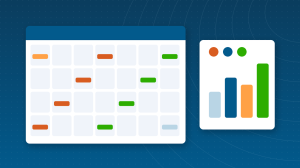
One message rarely fits every network, and Social’s composer lets a single draft carry per-network variants: the long LinkedIn version, the tight X version, the Instagram version with different hashtags and a tagged location. Teams that use variants instead of blasting identical posts see engagement differences within weeks, and the calendar view keeps the whole month’s mix of promotional, educational and community posts visible at a glance.
| Team | Why it fits |
|---|---|
| SMB marketing teams | One brand, scheduling, monitoring and reports at a low price |
| Businesses on Zoho CRM | Social conversations become leads and tickets automatically |
| Agencies | Agency plans manage many client brands with white-labeled reports |
| Local businesses | Google Business Profile posting alongside social networks |
Against Buffer, Hootsuite or Later, Zoho Social’s case rests on three things: price per brand, the CRM and Desk integration no standalone tool matches, and being one login inside the suite your team already uses. Standalone tools counter with broader integrations outside Zoho and some deeper network-specific features, so teams not using Zoho CRM should compare feature-by-feature.
The Professional plan and above connect Social to Zoho CRM and Zoho Desk: a comment or message can become a lead or a support ticket, with the conversation attached. For businesses already running Zoho CRM, this integration is the single biggest reason to pick Social over standalone schedulers.
Teams that get value from Social run a light routine: Monday, load the week’s posts with bulk scheduling and let SmartQ pick times; daily, ten minutes in the inbox answering replies and checking listening columns; Friday, scan the week’s post performance and note what to repeat. The monthly report then writes itself from data already flowing, instead of becoming a screenshot-collecting afternoon.
The free plan suits a solo founder: one user, one brand and straightforward publishing with Zoho’s URL shortener. It leaves out the features that make Social a team tool, bulk scheduling, deeper monitoring, approval workflows and the CRM integration, which is why most businesses land on Standard or Professional quickly. Trying the free plan for two weeks is still the fastest way to learn whether the interface suits your team before paying.
Short answers, drawn from the guide above.
Zoho Social is Zoho’s social media management app: publishing and scheduling, SmartQ posting-time suggestions, monitoring, a unified inbox and analytics across the major networks.
There is a free plan, and the Standard plan starts at about $10 per month billed annually for one brand. Professional, Premium and separate Agency tiers sit above it; prices vary by region and have changed during 2026, so check Zoho’s pricing page.
Facebook, Instagram, LinkedIn, X, Google Business Profile and other major business networks. Check Zoho’s site for the current list.
Yes, on the Professional plan and above: social conversations can create leads in Zoho CRM and tickets in Zoho Desk.
Yes. Zoho Social is part of Zoho One, which is usually the better value for businesses using several Zoho apps.
Yes. The Agency plans manage 10 or more client brands with agency branding, client invites and white-labeled reports.
A brand is the bundle of connected channels for one business: its Facebook page, Instagram profile, LinkedIn page and so on. Plans are metered by brands and users, not by individual channels.
Yes. Paid plans include bulk scheduling, so a month of posts can be uploaded and scheduled in one sitting, with SmartQ suggesting the times.
Yes, on higher plans: drafts can require approval before publishing, with roles controlling who drafts, who approves and who publishes, which agencies and regulated businesses rely on.
Yes. Google Business Profile is one of the supported channels, so local businesses can publish updates there alongside their social networks from the same calendar.
{"@context":"https://schema.org","@type":"FAQPage","mainEntity":[{"@type":"Question","name":"What is Zoho Social?","acceptedAnswer":{"@type":"Answer","text":"Zoho Social is Zoho's social media management app: publishing and scheduling, SmartQ posting-time suggestions, monitoring, a unified inbox and analytics across the major networks."}},{"@type":"Question","name":"How much does Zoho Social cost?","acceptedAnswer":{"@type":"Answer","text":"There is a free plan, and the Standard plan starts at about $10 per month billed annually for one brand. Professional, Premium and separate Agency tiers sit above it; prices vary by region and have changed during 2026, so check Zoho's pricing page."}},{"@type":"Question","name":"Which networks does Zoho Social support?","acceptedAnswer":{"@type":"Answer","text":"Facebook, Instagram, LinkedIn, X, Google Business Profile and other major business networks. Check Zoho's site for the current list."}},{"@type":"Question","name":"Does Zoho Social connect to Zoho CRM?","acceptedAnswer":{"@type":"Answer","text":"Yes, on the Professional plan and above: social conversations can create leads in Zoho CRM and tickets in Zoho Desk."}},{"@type":"Question","name":"Is Zoho Social included in Zoho One?","acceptedAnswer":{"@type":"Answer","text":"Yes. Zoho Social is part of Zoho One, which is usually the better value for businesses using several Zoho apps."}},{"@type":"Question","name":"Is Zoho Social good for agencies?","acceptedAnswer":{"@type":"Answer","text":"Yes. The Agency plans manage 10 or more client brands with agency branding, client invites and white-labeled reports."}},{"@type":"Question","name":"What is a brand in Zoho Social?","acceptedAnswer":{"@type":"Answer","text":"A brand is the bundle of connected channels for one business: its Facebook page, Instagram profile, LinkedIn page and so on. Plans are metered by brands and users, not by individual channels."}},{"@type":"Question","name":"Can I schedule posts in bulk?","acceptedAnswer":{"@type":"Answer","text":"Yes. Paid plans include bulk scheduling, so a month of posts can be uploaded and scheduled in one sitting, with SmartQ suggesting the times."}},{"@type":"Question","name":"Does Zoho Social have approval workflows?","acceptedAnswer":{"@type":"Answer","text":"Yes, on higher plans: drafts can require approval before publishing, with roles controlling who drafts, who approves and who publishes, which agencies and regulated businesses rely on."}},{"@type":"Question","name":"Can Zoho Social post to Google Business Profile?","acceptedAnswer":{"@type":"Answer","text":"Yes. Google Business Profile is one of the supported channels, so local businesses can publish updates there alongside their social networks from the same calendar."}}]} Demos and tutorials picked for this section. Subscribe to the ABR channel for more.
Every article filed under this category, newest first.
How to use Zoho Social: connect channels, plan a content calendar, schedule and bulk-schedule posts, use SmartQ, read analytics and send leads to CRM.
In today’s fast-moving digital landscape, consistency is key. Posting regularly across multiple social media platforms is no longer optional—it’s essential for building trust, visibility, and engagement. Yet, juggling different platforms can quickly become overwhelming. That’s where Zoho Social comes in.
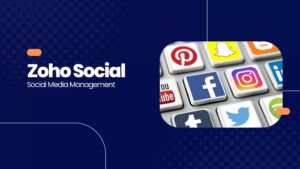
What is Zoho Social? Zoho Social is a social media management platform that helps companies engage with their customers. The platform allows the user to manage multiple social media accounts (Facebook, Youtube, Instagram Twitter, LinkedIn and more), create, schedule, edit posts and analyze the content on all your social media …
We configure Zoho apps around how your business actually runs, connect them to the rest of your stack and train your team. ABR is a Zoho Premium Partner with 2,000+ completed projects over 12 years.
Guides, tools and training from the most reviewed Zoho Partner in the world.
Start your free Zoho One trial, no credit card required: USA | Canada | Europe